
From enhanced navigation and smarter project organization to advanced version control foundations, this evolution of Publication for Capella 2026.5 focuses on improving productivity while simplifying projects management. Whether you are a model designer, project contributor, or server administrator, these enhancements provide a more intuitive and efficient experience across the entire tool.
- Smoother Navigation and a Tailored Workspace
- Organization-Based Management: Better Structured Projects
- Major Enhancements for Administrators
- Version Control: Master Your Model History
- Batch Publishing
- User Authorizations: Total Transparency
Smoother Navigation and a Tailored Workspace
A Clean and Optimized Visual Space
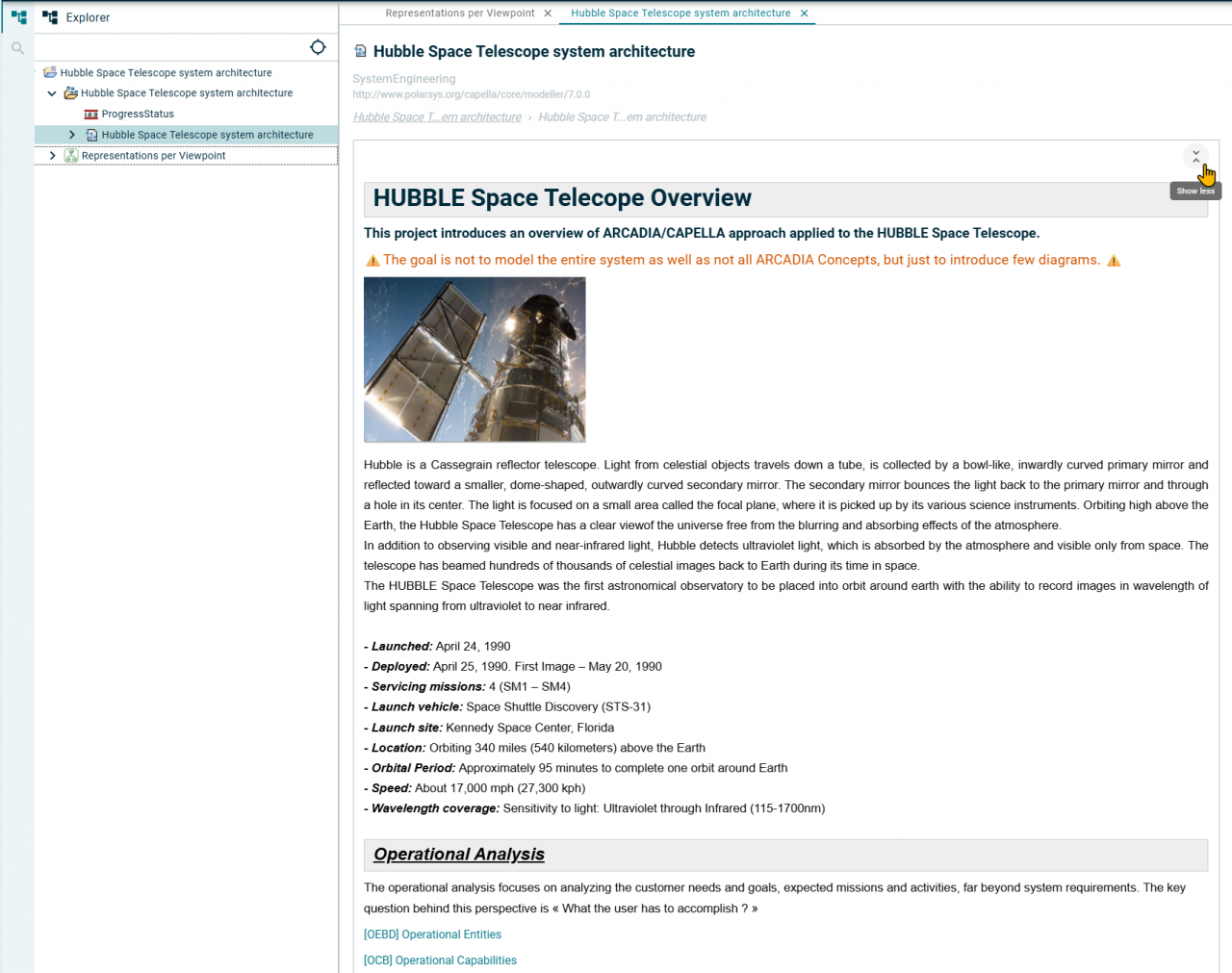
Gain clarity right when you open your projects. From now on, the detail view (as well as other tabs) can be closed by default to give you maximum space to navigate through models. Additionally, the description field now displays in fully expanded mode by default and supports rich text along with embedded images. This ensures your documentation is visual and impactful, while still giving you the freedom to collapse it in a single click:
One-Click Synchronization with the Explorer
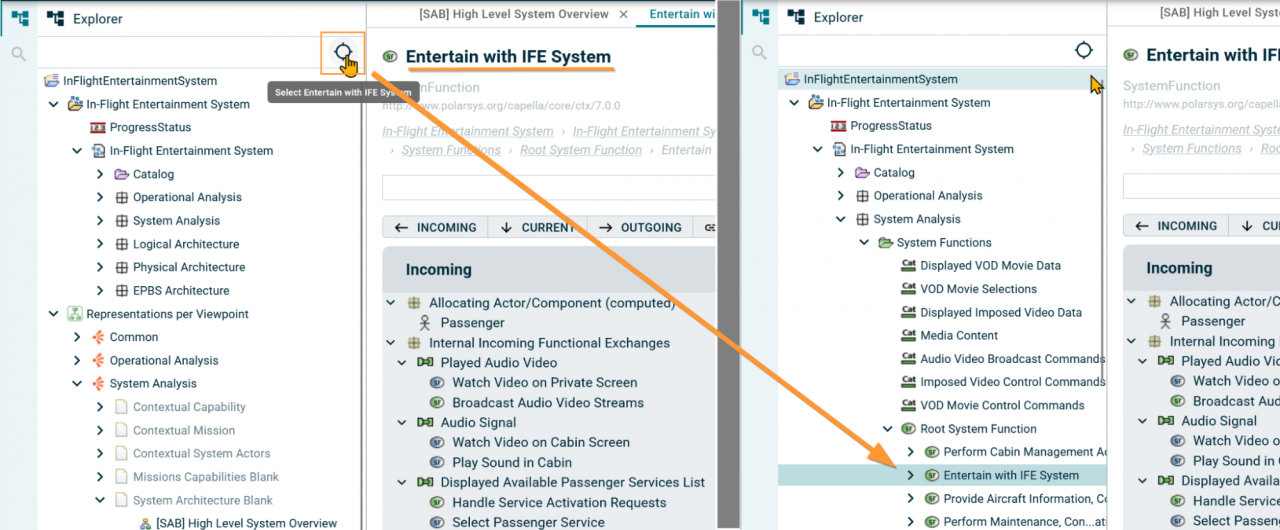
To simplify navigation even further, users can now manually synchronize the Explorer with the element currently displayed in the central area, similarly to the experience available in Capella. This makes easier model navigation across the different panels:
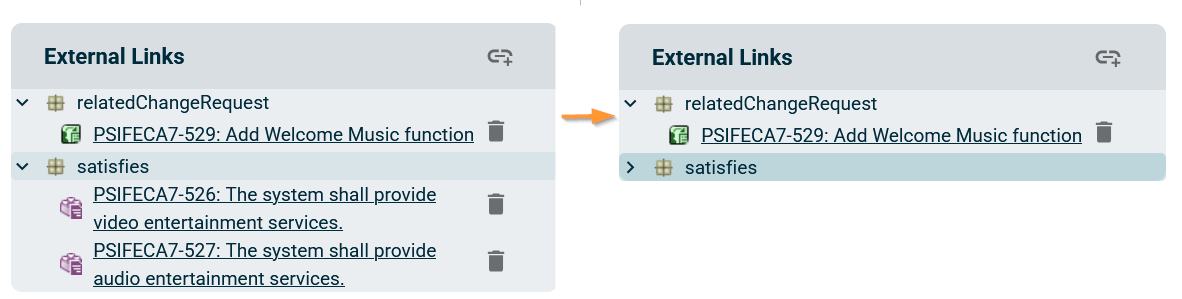
The Semantic Browser navigation has also been improved with expand/collapse capabilities by type in the External Links section, allowing users to navigate complex relationships more efficiently.
100% Customizable Information Areas
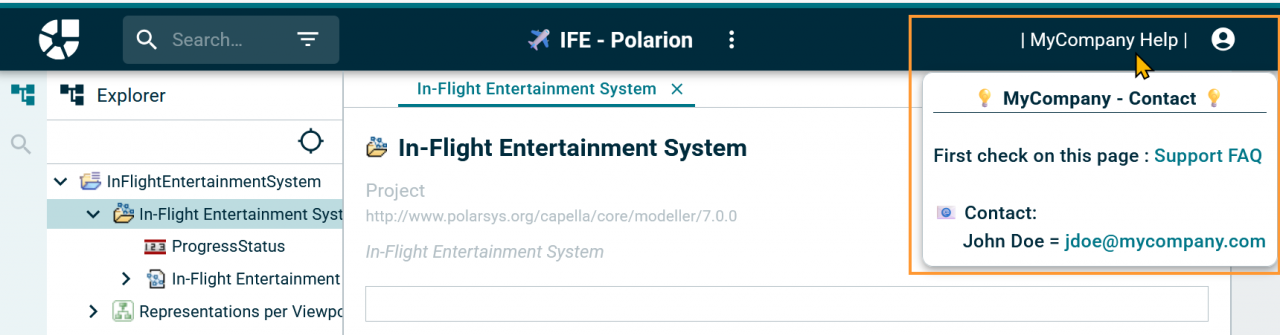
Create an environment that fits your needs. You can now add fully customizable information areas to guide your users and share important guidelines directly within the tool:
Organization-Based Management: Better Structured Projects
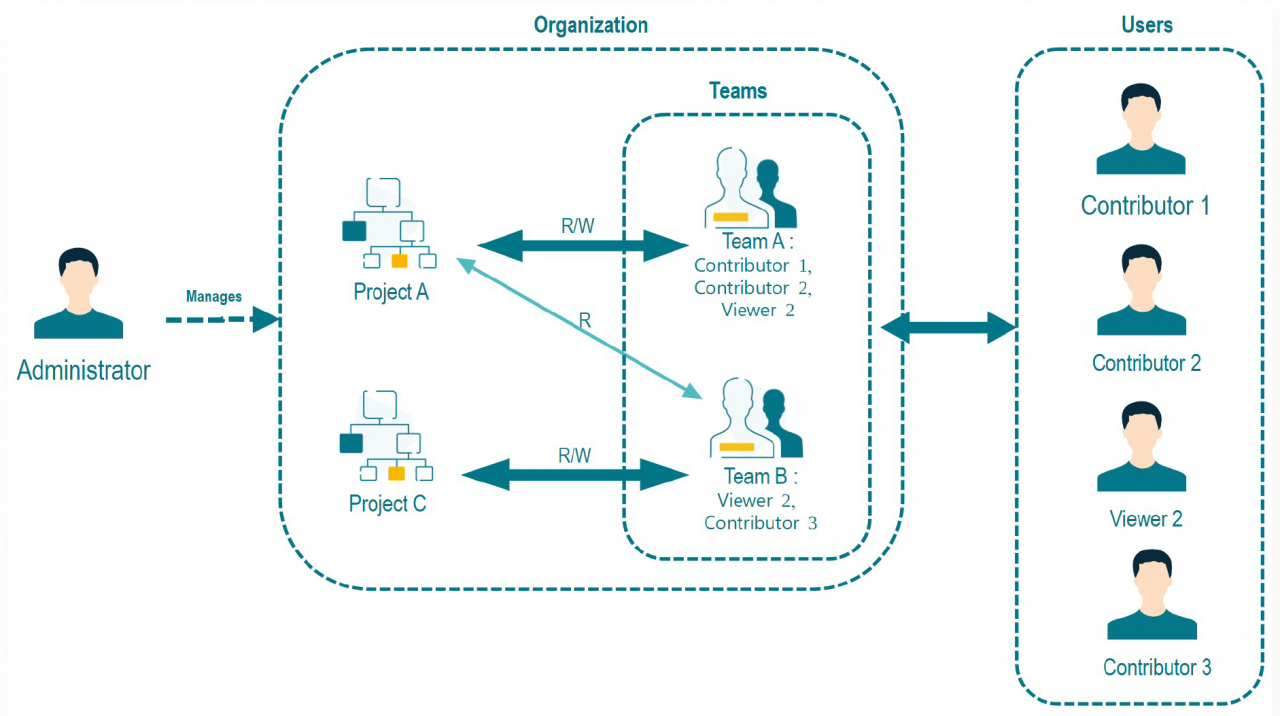
Group your projects and teams into clear structures called "Organizations". This higher management level allows you to efficiently manage user access and distribute permissions at scale in a smooth and secure way:
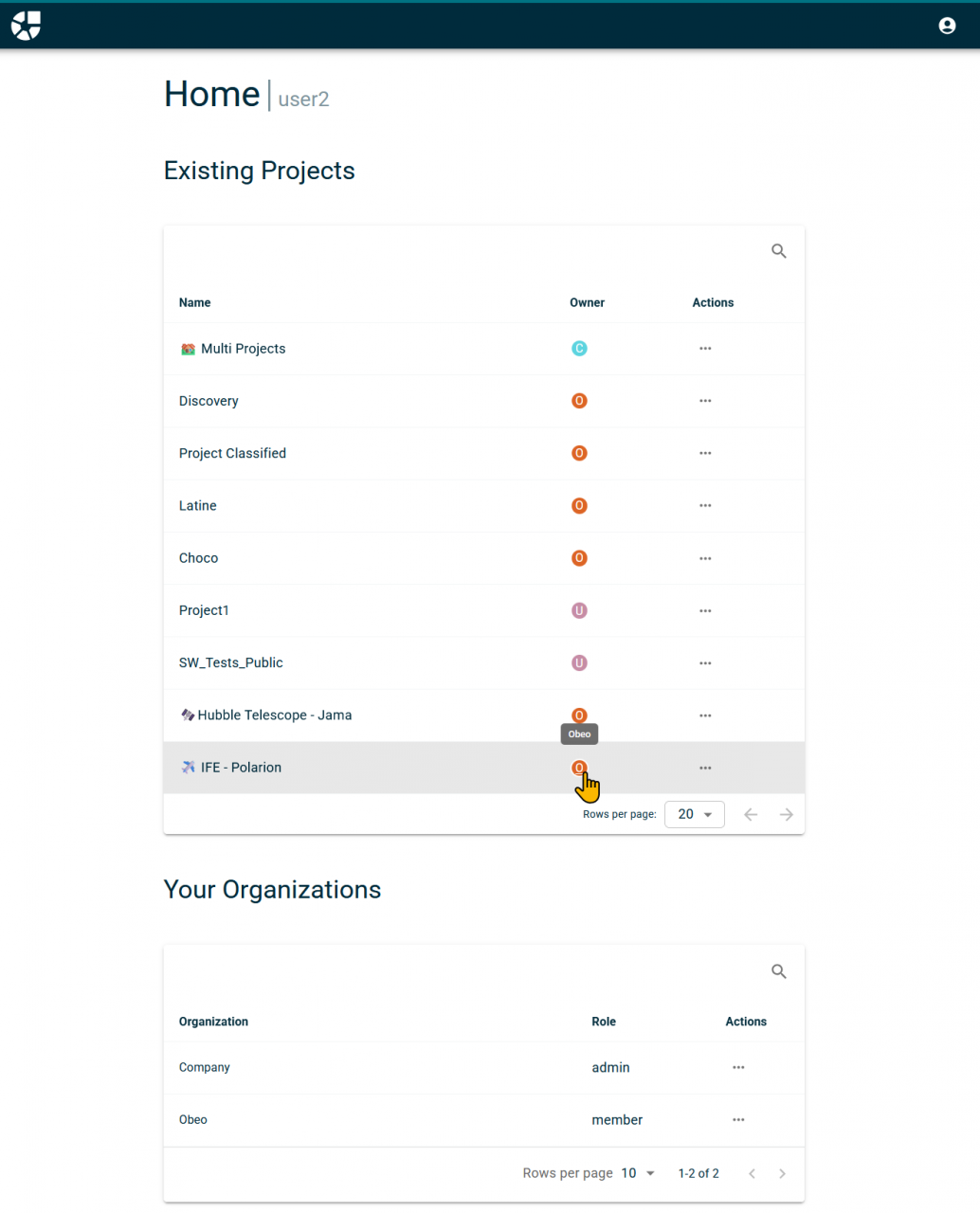
Save time from the moment you log in. Your new homepage centralizes all your organizations and active projects. You can access your current work in the blink of an eye:
Major Enhancements for Administrators
Enhanced Security with the "Server Admin" Role
Administration capabilities have been significantly improved to simplify deployment management and strengthen security.
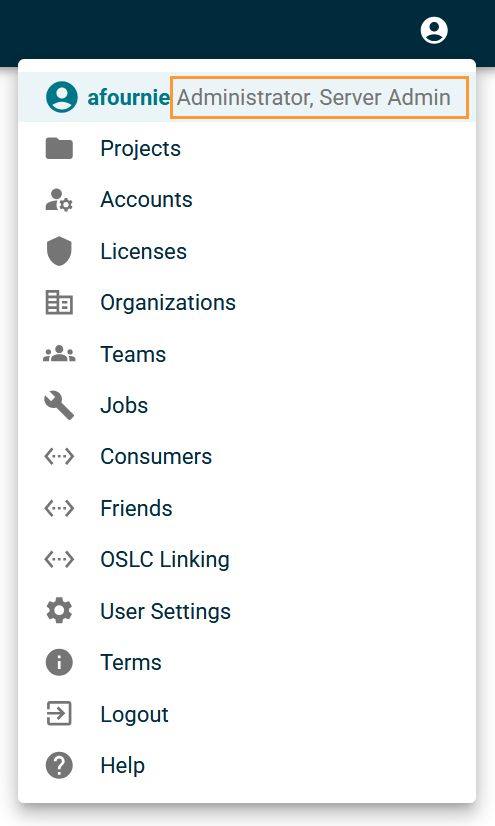
A new dedicated Server Admin role has been introduced to clearly separate server administration from project management responsibilities. This allows organizations to secure deployments while delegating infrastructure management to specific users.
Simplified Access Control and OIDC Synchronization
User and license management have also been redesigned to provide more flexibility and simplify access control. Users can now have multiple roles simultaneously, and team definitions from your OIDC provider can be synchronized directly with Publication for Capella.
As a user, you can check your roles at any time directly from your user profile menu:
A Centralized and Smart Admin Dashboard
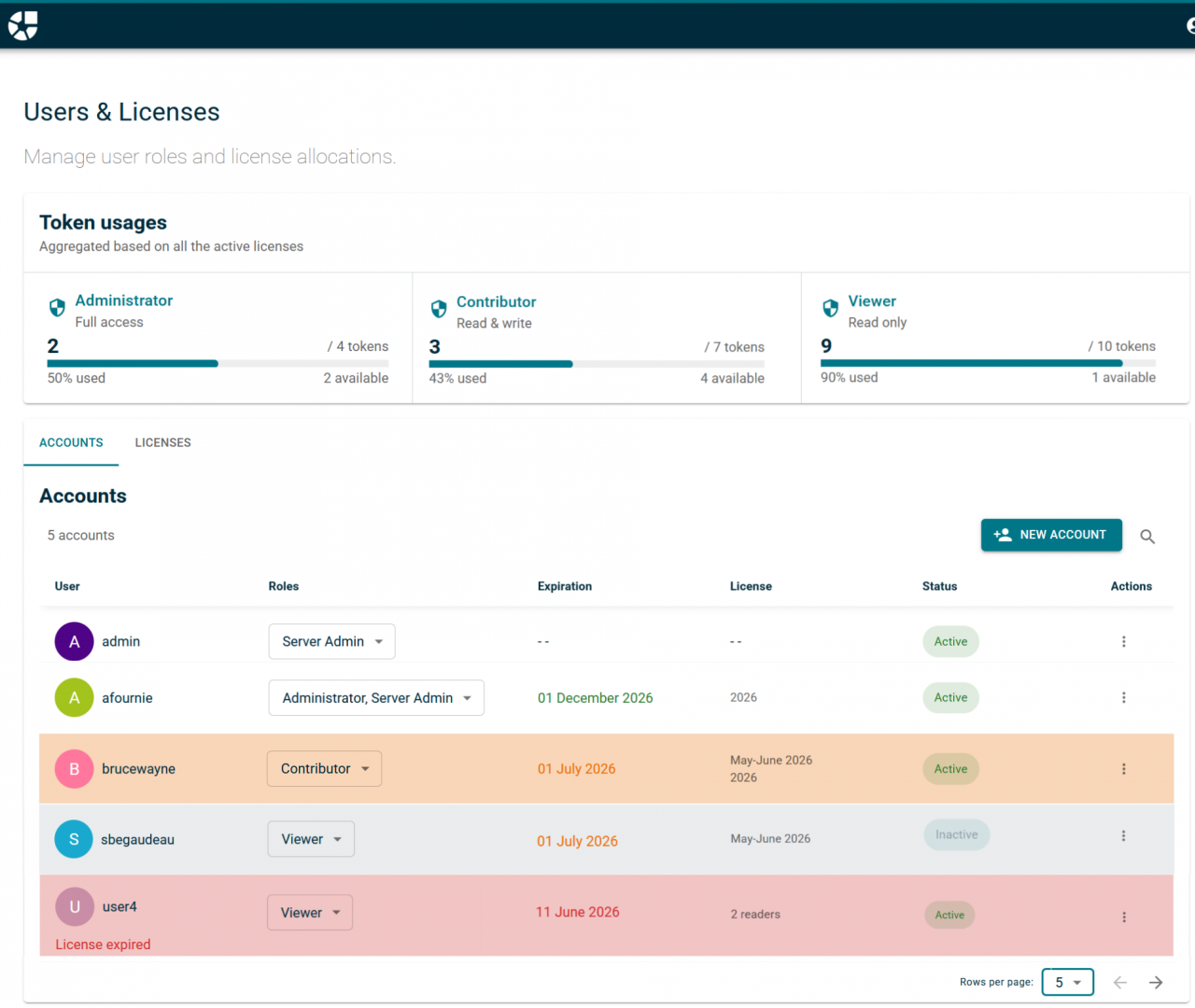
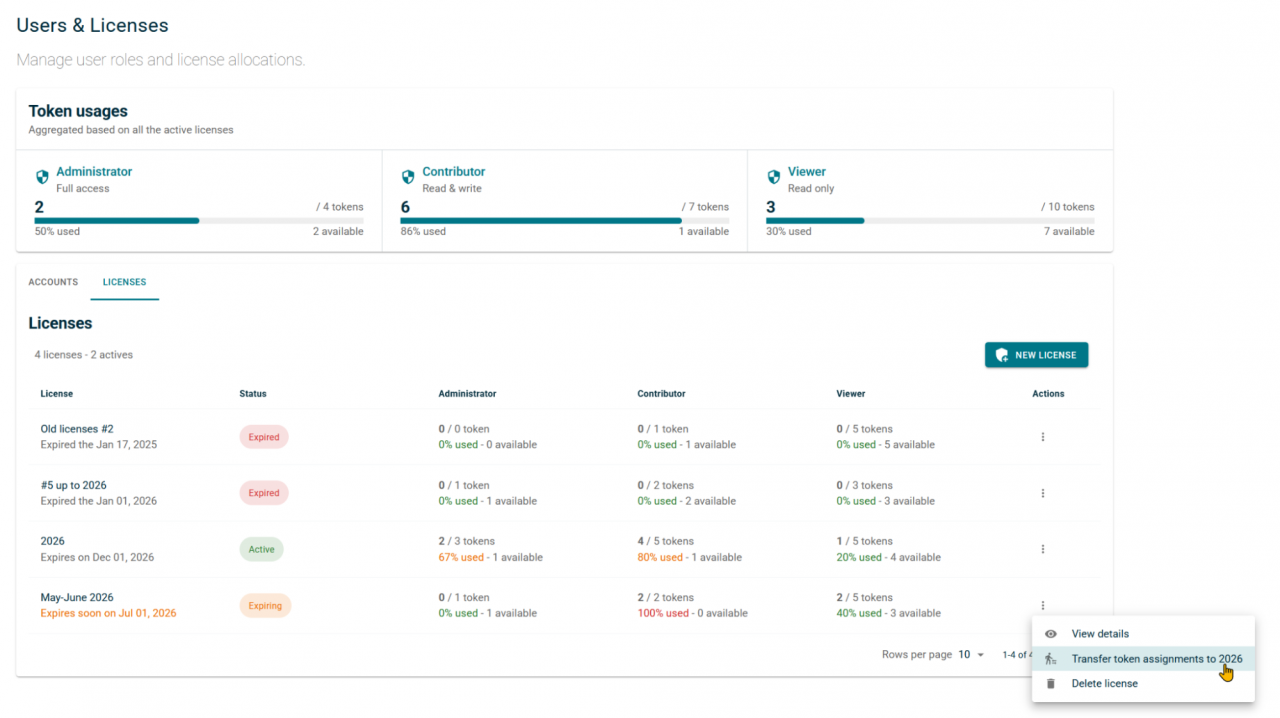
Dear administrators, we have simplified your daily routines. The user account and license management pages have been merged into a single dashboard. Track license consumption and active roles in real time, and anticipate the impact of license expirations on your users thanks to smart actionable insights:
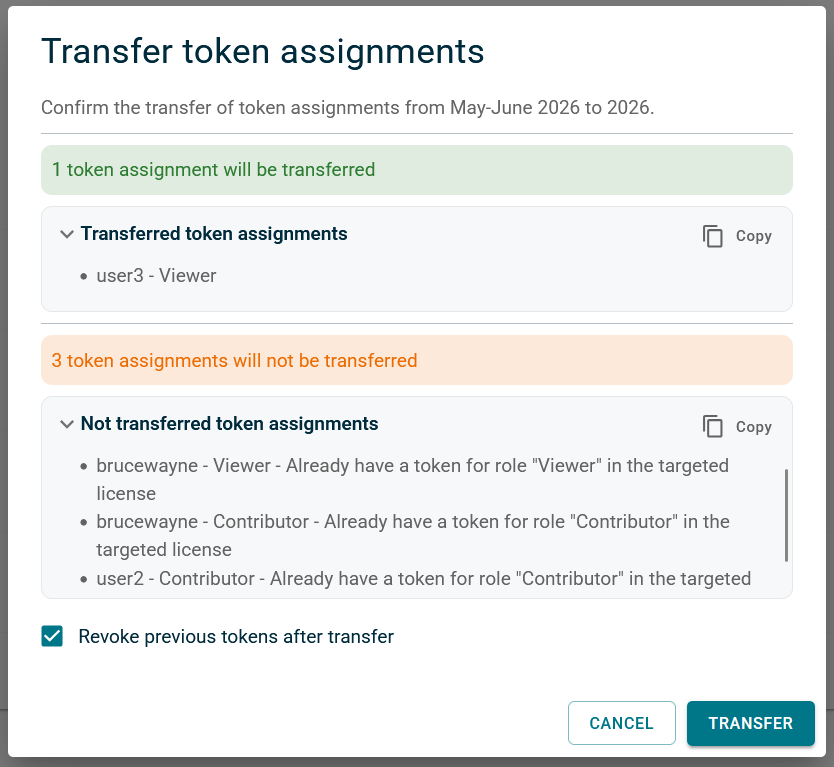
You can instantly transfer all assigned accounts from one license to another in a single action. A comprehensive action summary is generated, which you can save and send to a colleague to resolve anomalies together:
Version Control: Master Your Model History
Your Foundations for Version Tracking
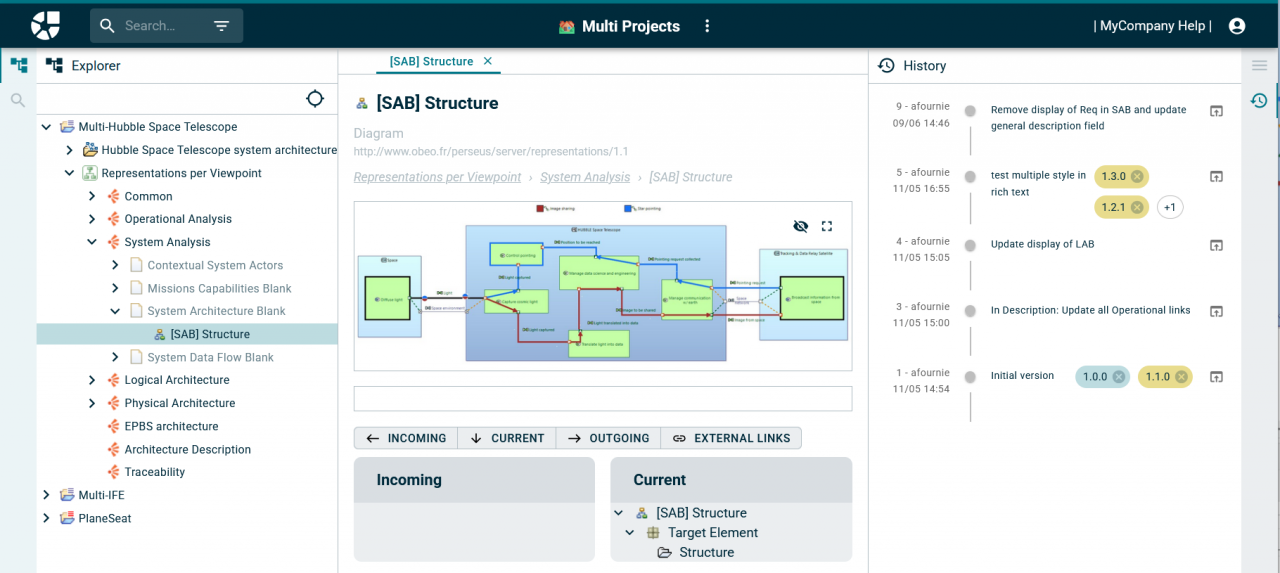
Track the evolution of your models with peace of mind. We have built the foundations for version control: you can now view the commit history for any selected object, as well as create and display baselines:
Preview Your Evolutions
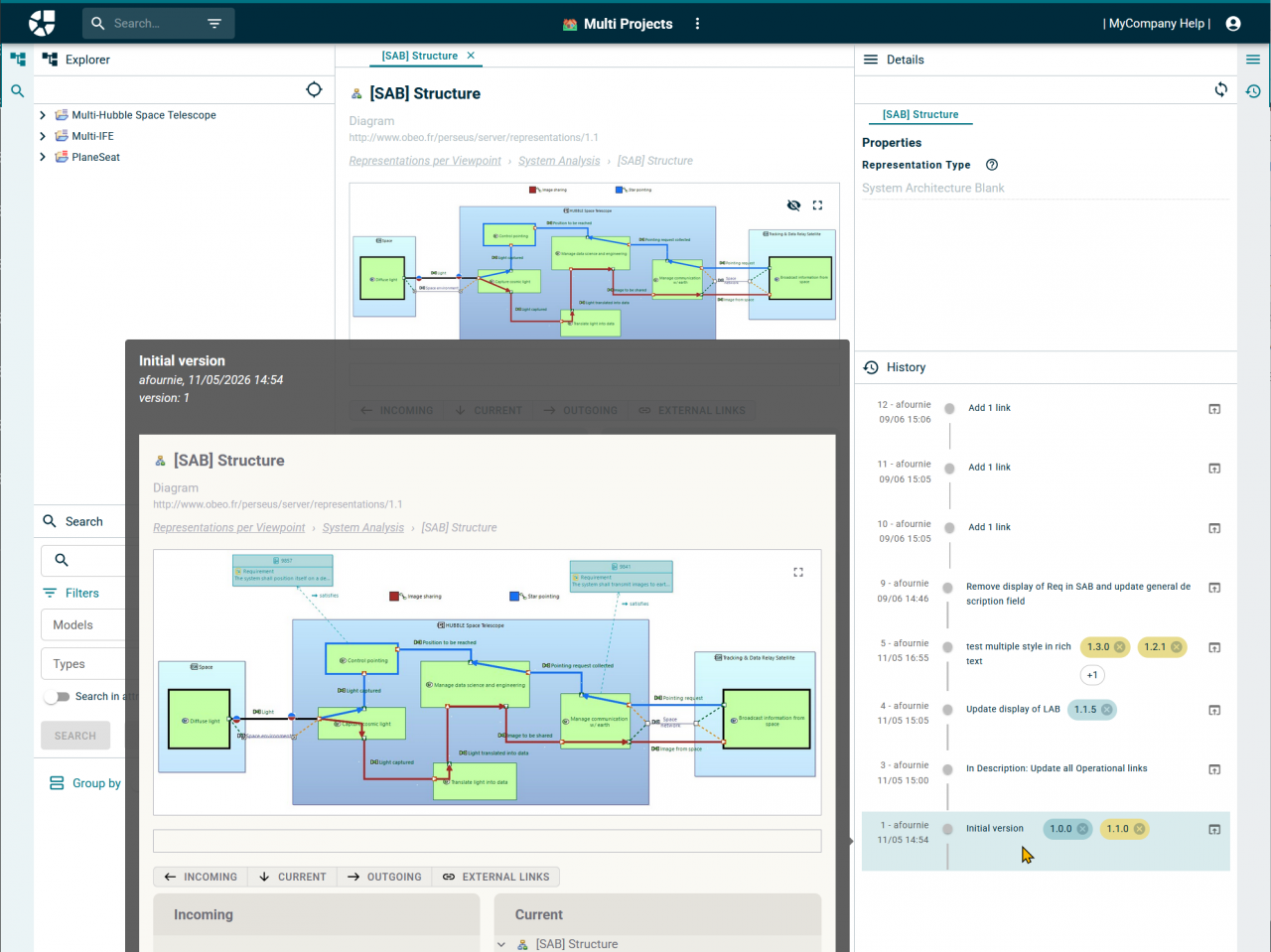
Thanks to the preview feature for any commit or baseline, you can instantly identify modifications made to any element of the mode:
Time Travel Through Your Models
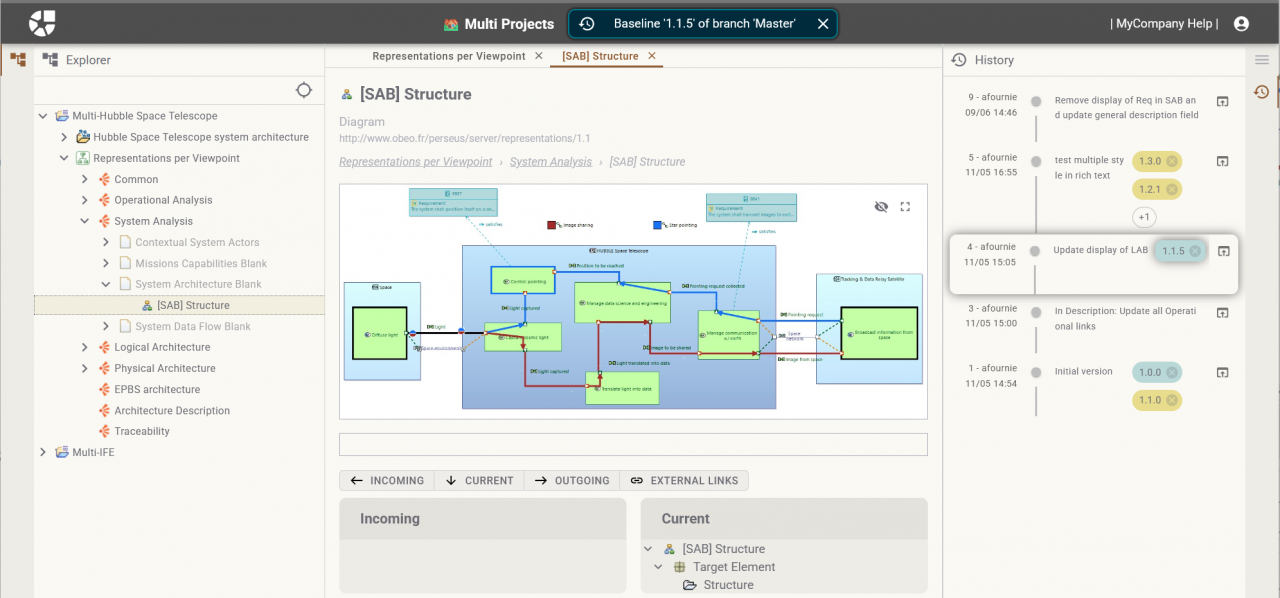
Need to check an older version? Freely browse and navigate inside a previous baseline or commit of your project without altering the ongoing work:
Batch Publishing
Save precious time. You can now automate the publication of your models via command lines, even for models managed under Team for Capella.
The benefit for you: You gain full mastery over the versions of the models you make available on the web interface to project users (ongoing updates, official baselines, etc.), ensuring your teams always work with reliable data.
User Authorizations: Total Transparency
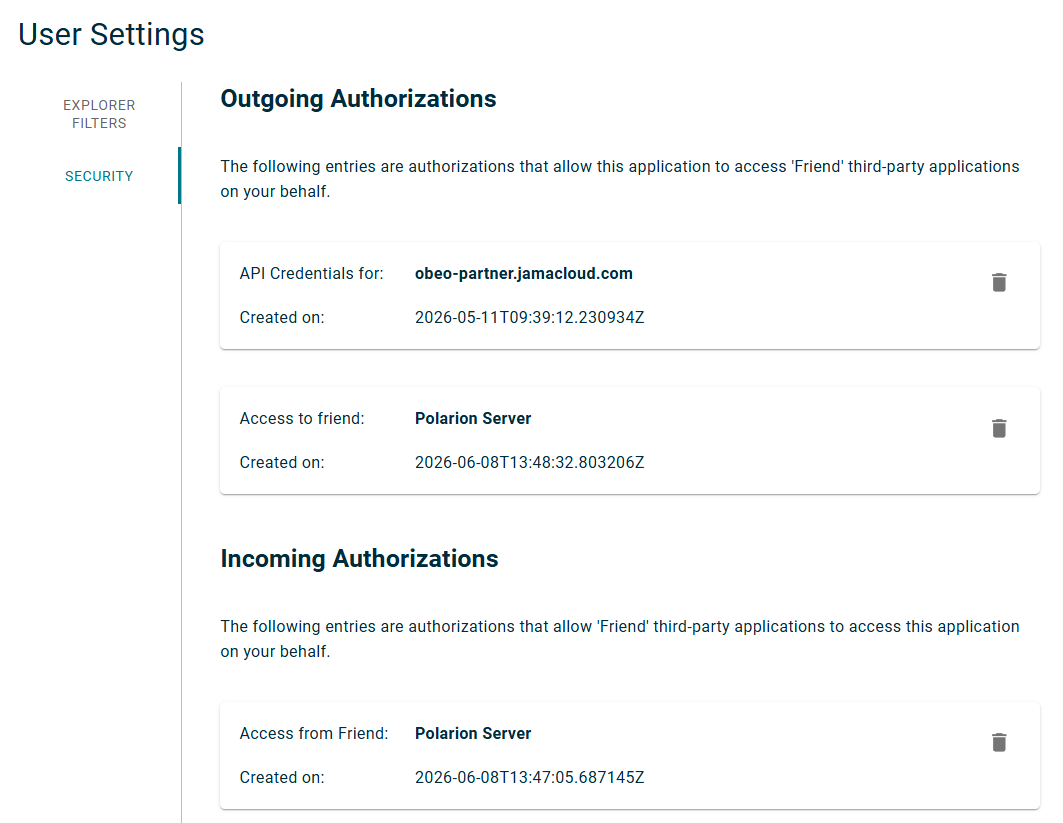
Because the security of your data is our top priority, each user has specific authorizations linked to both P4C and third-party "Friend" applications. A dedicated new page is now available under your User Settings, allowing you to review your permissions and instantly revoke specific accesses as needed:
Conclusion
By improving everyday navigation, simplifying administration, introducing organizational management, and laying the groundwork for advanced version control and automation, we continue to focus on delivering a smoother and more productive experience for all users.
We look forward to seeing how these new capabilities will help your teams collaborate more efficiently and manage projects with greater confidence.