
What if your Capella architecture could go straight into simulation?
If you’ve ever designed a system architecture in Capella and wished you could simply press play to see how it behaves, let’s discover the Capella-Simulink® Connector 0.2.0.
As a result of a joint effort between Obeo and Thales, this connector is now available in Open Source.
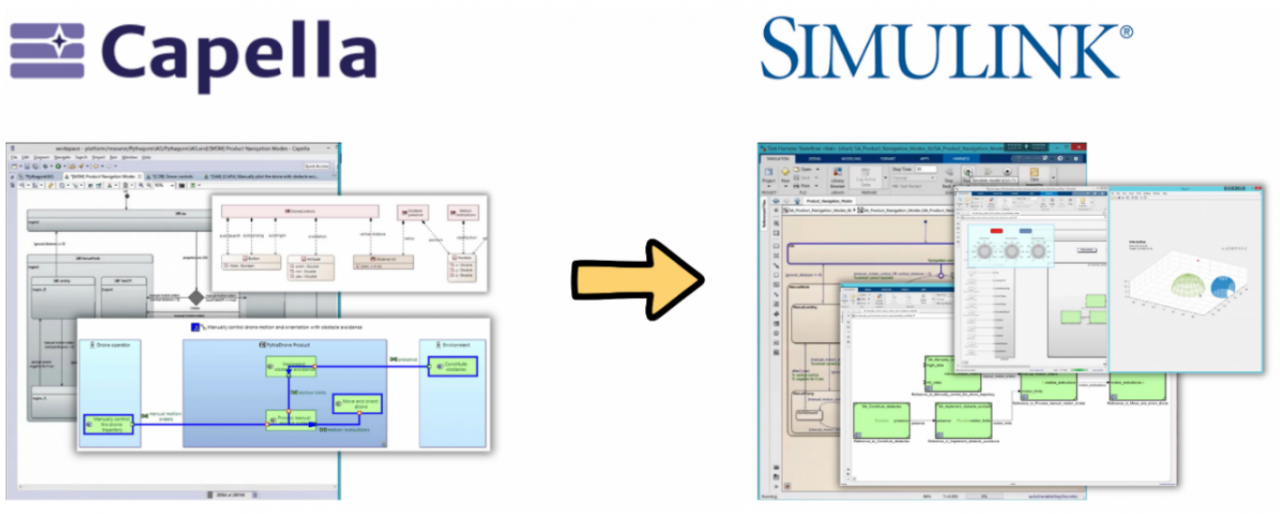
The Capella-Simulink Connector creates a practical bridge between system architecture modeling in Capella and simulation in Simulink, making it easier to reuse architectural information from Capella as a starting point for behavioral modeling and simulation.
Once in Simulink, these architectural elements can be enriched with executable behavior and used in simulations to explore architectural choices and system hypotheses.
And this is exactly where things get interesting.
- Model it in Capella. Simulate it in Simulink
- Key use cases
- Support collaborative MBSE workflows
- Open Source: built for the community
- Ready to try it?
Model it in Capella. Simulate it in Simulink
Architecture models are great at answering questions such as:
- “What should the system do?”
- “Which functions interact?”
- “What are the system modes and states, and how can it transition between them?”
- “How does information flow through the architecture?”
But sooner or later, you need to answer another question: “Will it actually work?”.
And how confident are you that you will be able to answer this question once you start working with a substantial model?
As explained in a webinar previously presented by Thales on this connector, it can be quite challenging.
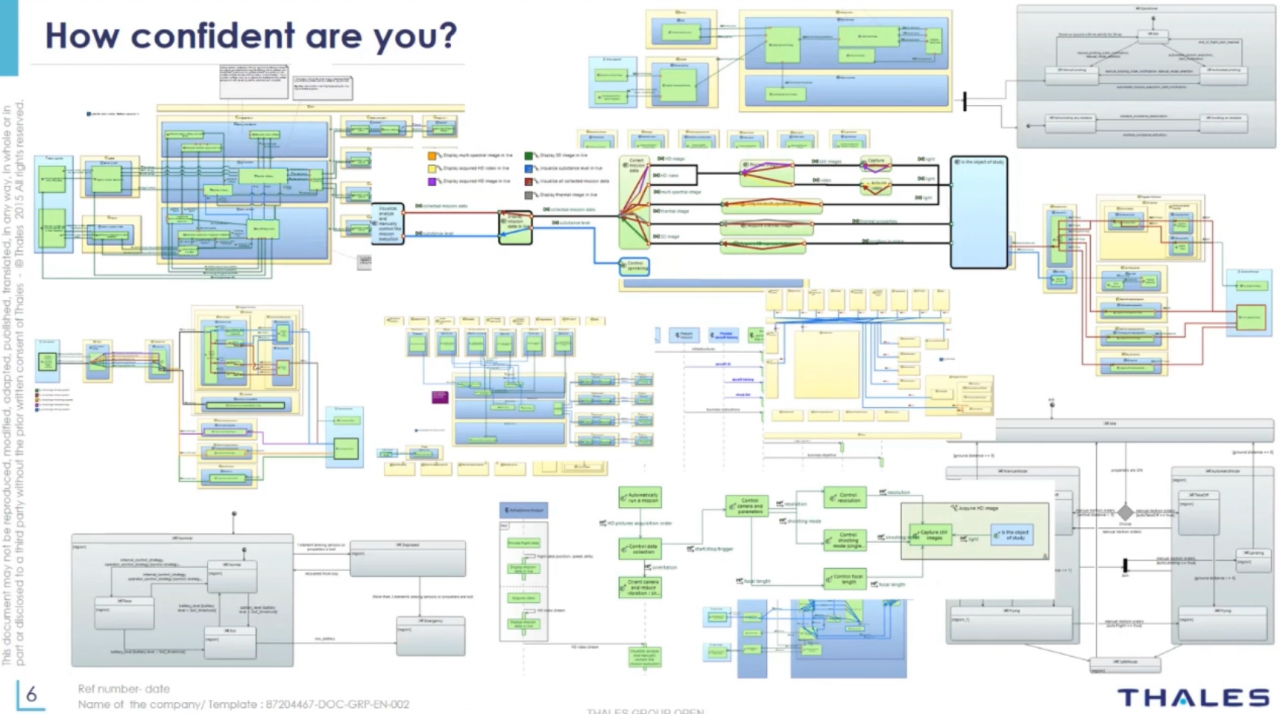
In your system, mode and state transitions are often triggered by functional exchanges carrying exchange items and data, sometimes involving complex structures. Answering this question requires more than a static architecture. You need to explore how modes, states, functions and data interact dynamically.
This is where simulation can complement your Capella architecture.
This Capella-Simulink Connector was designed with this goal in mind for simplicity and speed. It allows you to transform key Capella model elements very easily into Simulink format:
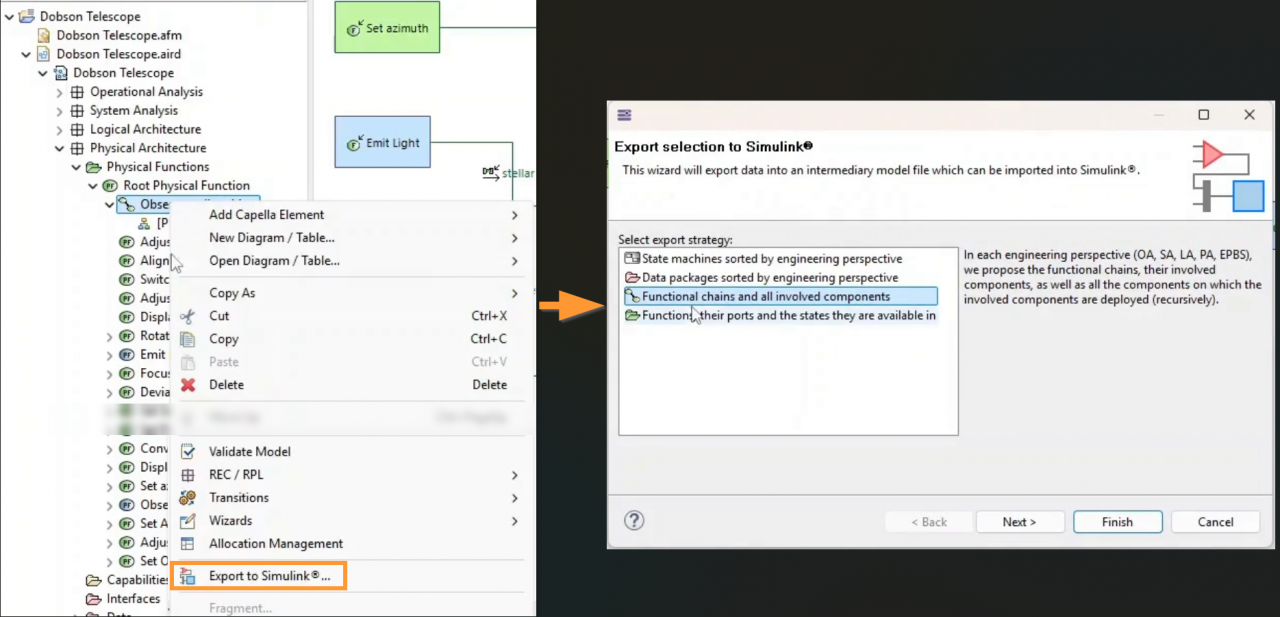
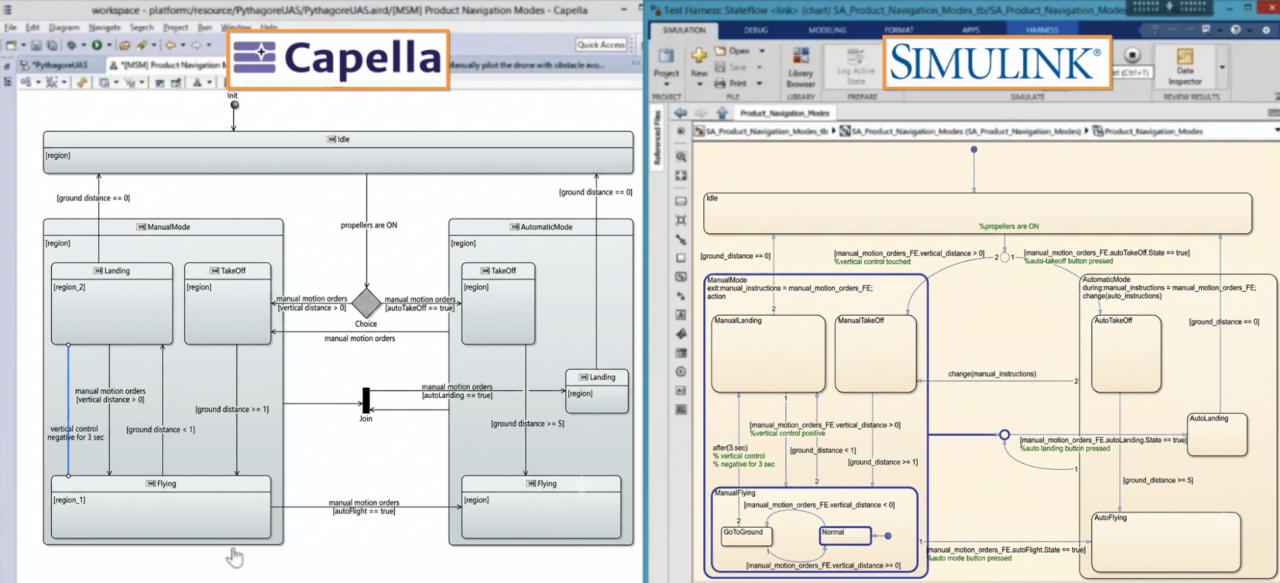
- State Machines: Convert Capella state machines into Stateflow diagrams, providing a starting point of executable state-base behavior.
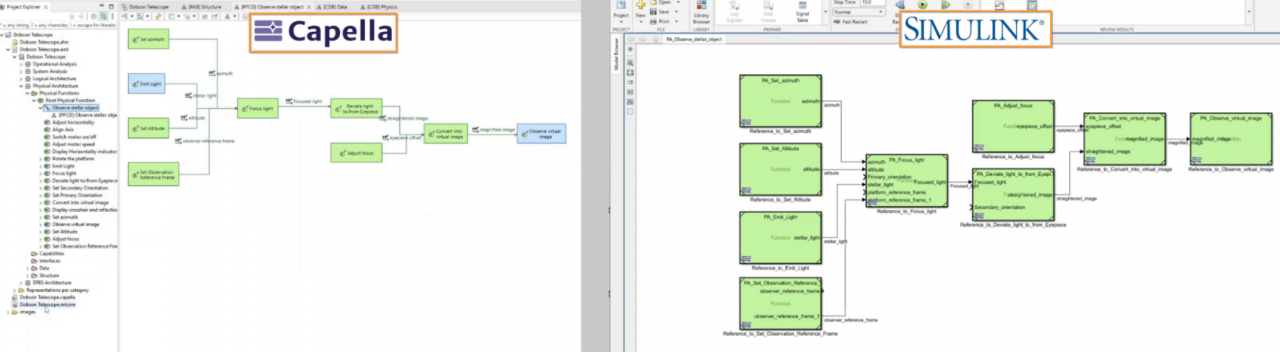
- Functions: Transform Capella functions into Simulink model elements, ready to be enriched with executable behavior.
- Functional Chains: Preserve the organization and flow of functions defined by Capella functional chain in the generated Simulink model .
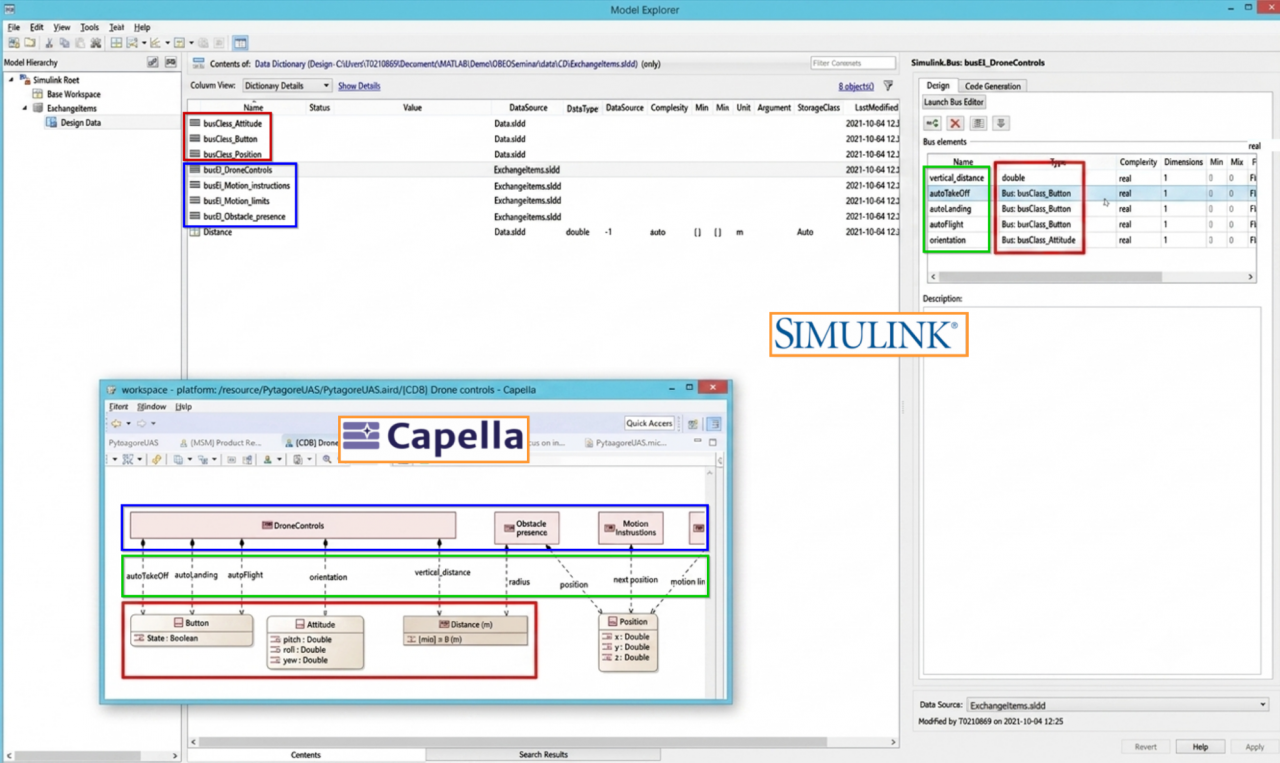
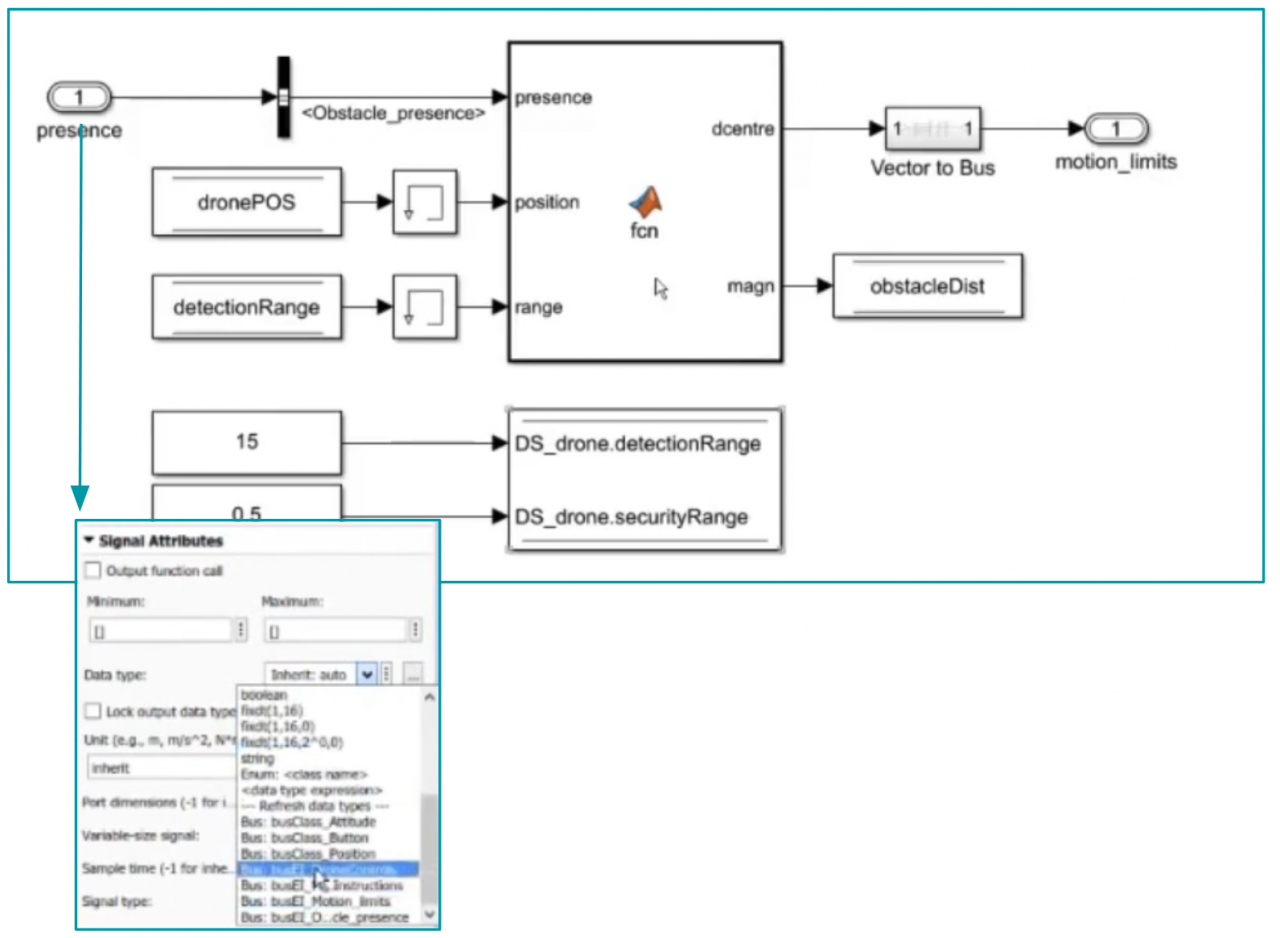
- Data: Maintain consistency by transforming Capella data into corresponding Simulink bus, bus element, types and signals.
When simulation reveals an issue, you can evolve the architecture in Capella, update the Simulink model, and simulate again. This iterative loop helps you refine the system architecture based on simulation results.
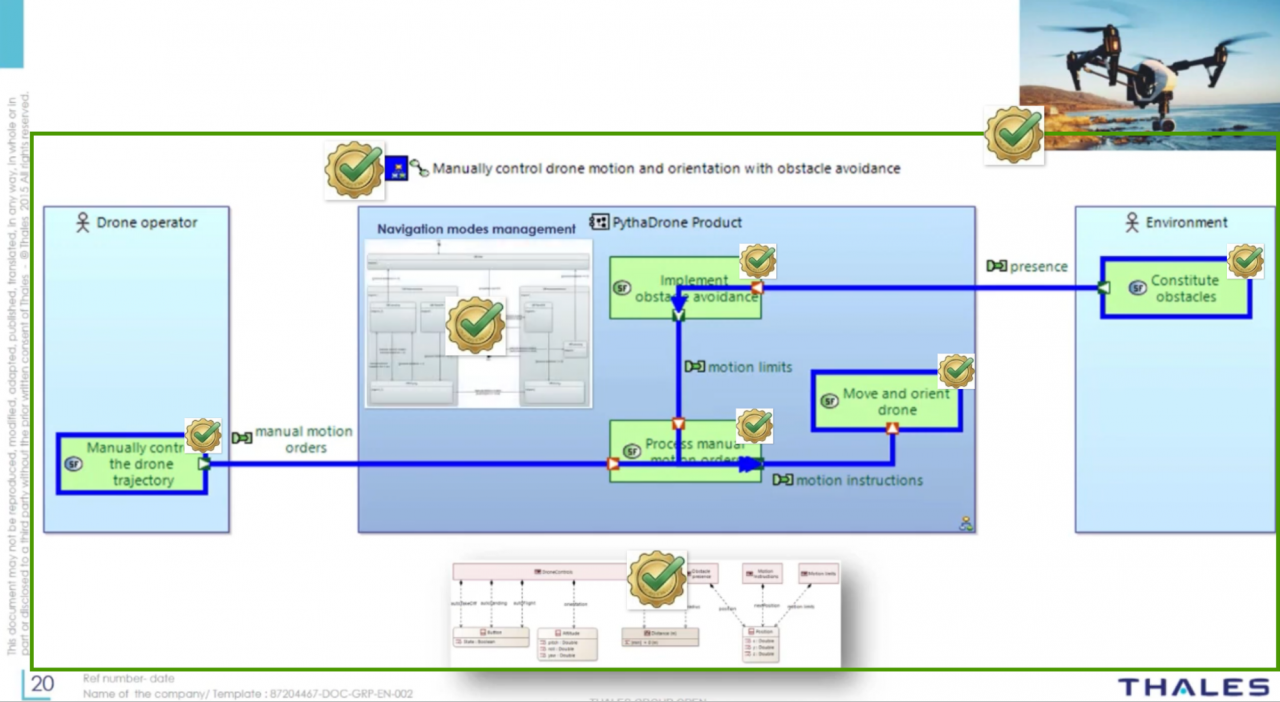
The goal is simple: reuse your system architecture as the starting point for simulation, instead of rebuilding the model from scratch in another environment.
Key use cases
1. Early Scenario-Based Validation
- Solved Issue: Waiting until late-stage integration with physical costly components to find that your functional logic doesn't hold up under transient conditions.
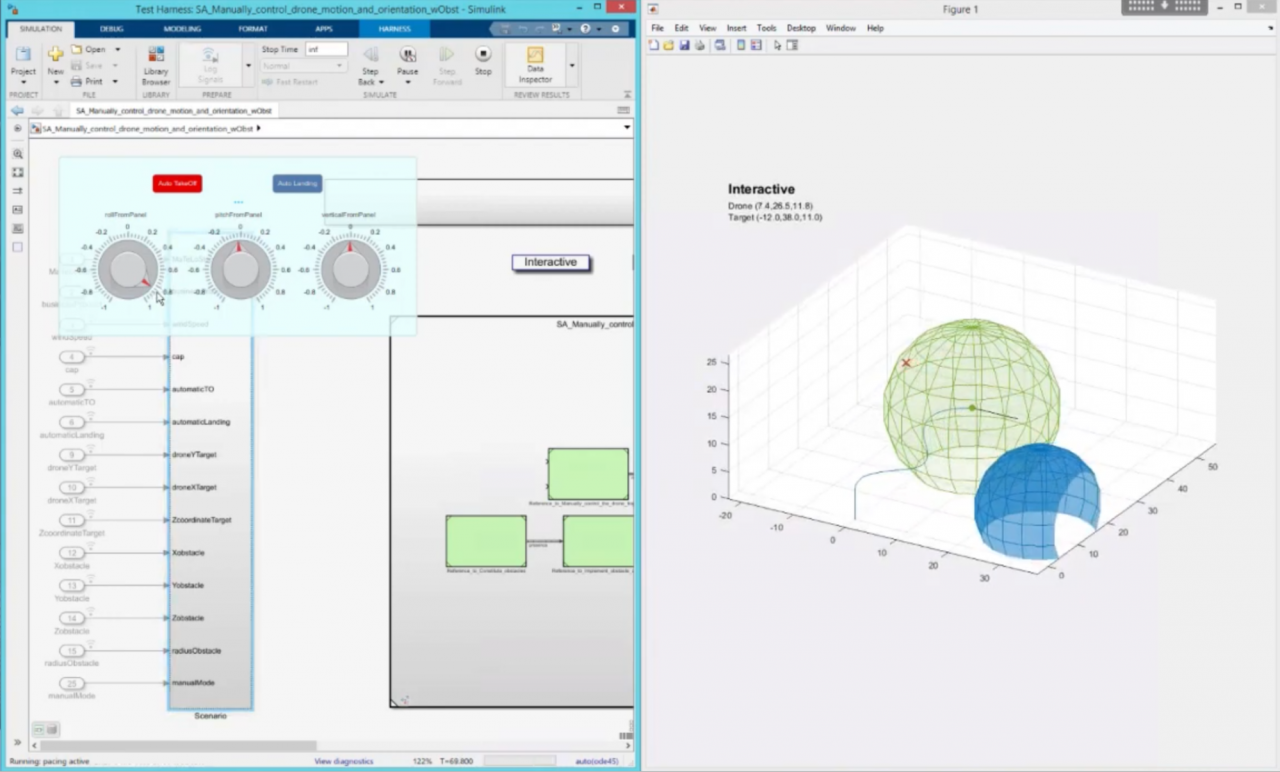
- The Connector Solution: Transform functional chains and state machines and related architectural information into Simulink, enrich them with executable behavior, and run dynamic simulations to explore system behavior early. This helps identify inconsistencies and challenge architectural hypotheses before detailed design and implementation. When simulation reveals an issue or challenges an architectural hypothesis, evolve the architecture in Capella, update the Simulink model, and simulate again.
2. Hypothesis Testing & Architecture Trade-offs
- Solved Issue: Systems engineers and simulation experts working in silos, making it hard to test how an architectural change in Capella affects the physical system.
- The Connector Solution: Keep the system architecture in Capella connected to the simulation workflow in Simulink. When systems engineers propose an architectural change, simulation experts can evaluate its impact through simulation, compare alternatives, and feed the results back into the architecture. Different design or physical alternatives can also be explored in Simulink to support architecture trade-offs, informed decision-making and better collaboration between teams.
3. Early State/Mode Management Validation
- Solved Issue: State machine and mode logic can become difficult to validate from static representations alone, especially when many transitions and conditions interact.
- The Connector Solution: Generate Stateflow charts from Capella. Use Simulink’s powerful debugging tools to interact with your system modes, test corner cases, and automatically record execution scenarios.
Support collaborative MBSE workflows
The connector also helps bridge two complementary worlds:
- Capella for system architecture and MBSE,
- Simulink for executable behavior and simulation.
This workflow is especially useful when system architects and simulation or control engineers need to collaborate without forcing everyone to work in the same tool.
Capella remains the place to define and evolve the architecture, while Simulink becomes the place to experiment with and evaluate its behavior through simulation.
Open Source: built for the community
And there is another important part of this announcement: The Capella-Simulink Connector is Open Source.
That means the connector is not a black box. Its source code is available to the community, making it possible to explore it, contribute to it, adapt it and help shape its future.
Ready to try it?
The Capella-Simulink Connector 0.2.0 is available now.
Download it, connect your Capella architecture to Simulink, and start exploring your system behavior through simulation.