
SysON 2026.7 and 2026.9 continue to expand SysML v2 modeling capabilities while making everyday modeling more fluid and expressive.
Across these two releases, we improved expression editing, behavioral and requirements modeling, expanded the range of SysML v2 concepts available in diagrams, and made diagrams more representative of the complete model.
These releases also highlight the growing involvement of the SysON open-source community, with several improvements contributed by developers outside Obeo. A big thank you to all contributors for their code, feedback, testing, bug reports, and discussions. Your contributions help us make SysON better with every release.
Key Highlights
Across SysON 2026.7 and 2026.9, we focused on making SysML v2 modeling more expressive and easier to use:
- A more complete expression editing experience, available across diagrams, Explorer and Details views.
- Richer requirements engineering, with new relationships, compartments, hierarchical requirements and derivations.
- More expressive diagrams, with broader support for inherited elements and improvements to action and state modeling.
- Support for more SysML v2 concepts, including Framed Concerns, Timeslices and Snapshots.
- Improved deployment options, with Docker images running natively on both linux/amd64 and linux/arm64.
A More Complete Expression Editing Experience
SysON 2026.7 introduces a more complete and consistent way to work with SysML v2 expressions.
Create and validate SysML v2 expressions in SysON, including default values and expressions referencing other model elements.
Expressions can now be created, edited and deleted using their textual syntax directly from the Explorer, including expressions associated with attributes, constraints, and transitions. A dedicated editor validates the expression before applying it .
Invalid expressions are not applied: the editor remains open and provides detailed feedback to help users identify and fix errors before trying again.
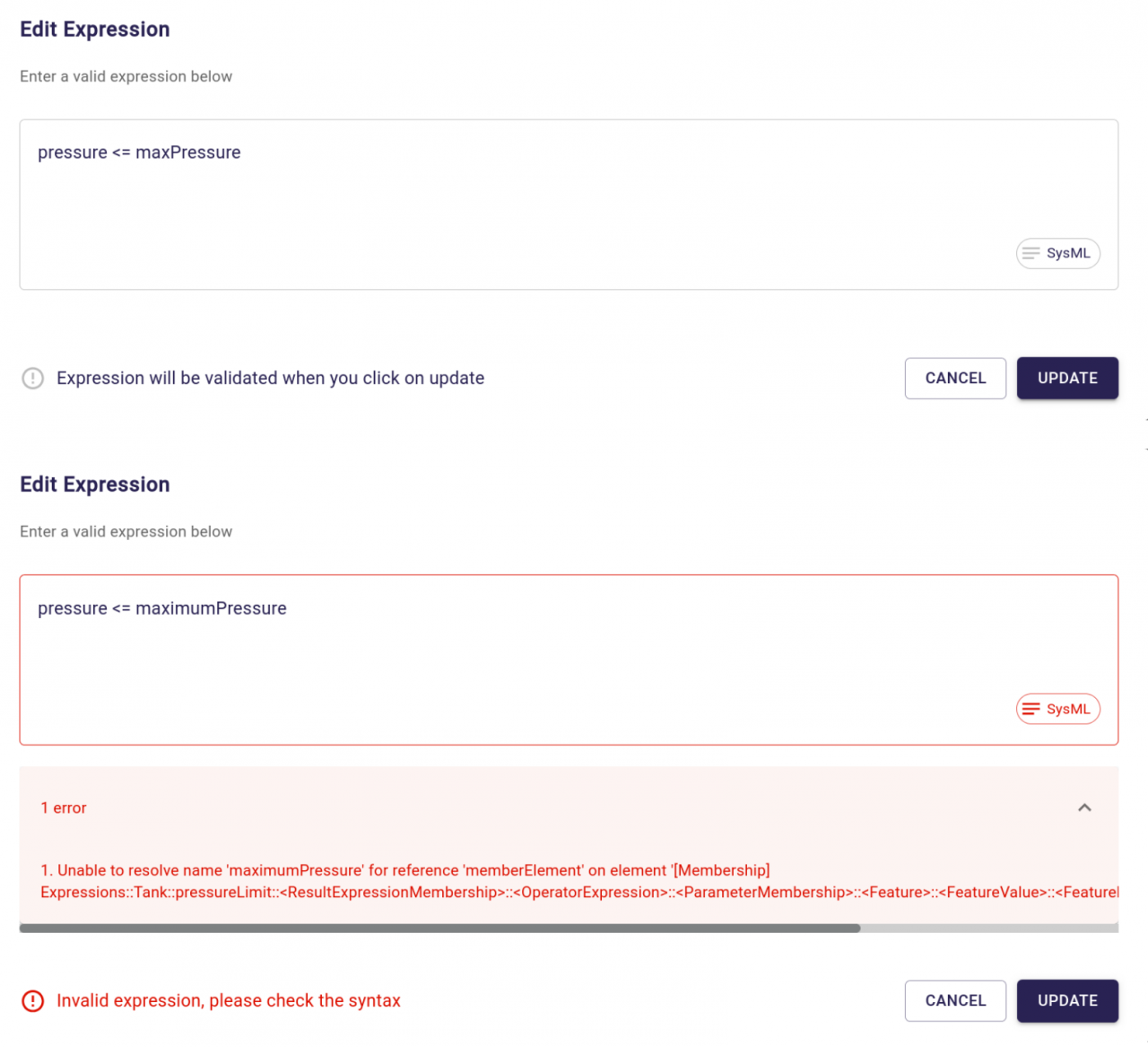
Invalid expressions are detected before they are applied, with detailed feedback to help identify and fix errors.
The Explorer has also been streamlined for expressions: expression internals are now hidden by default, keeping the model tree focused on the textual expression rather than its underlying syntax tree. A dedicated filter can be used to display these internal elements when needed.
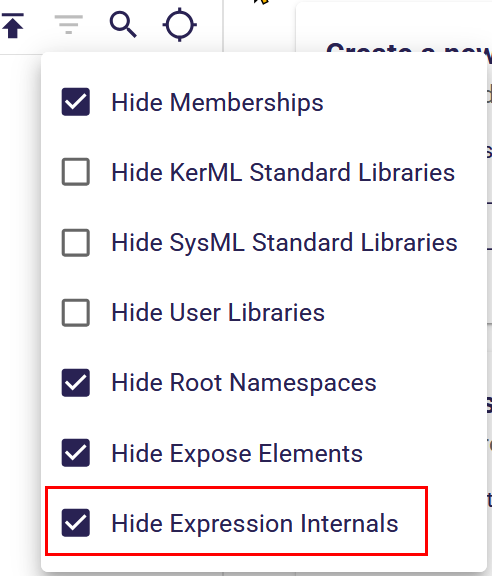
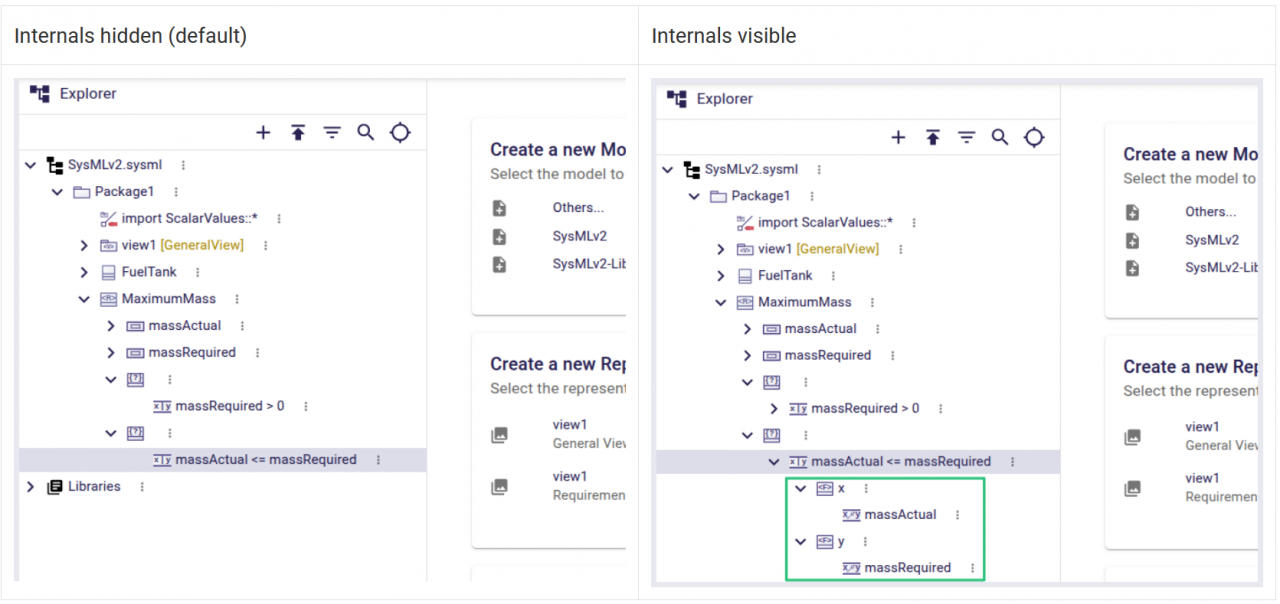
Expression internals are hidden by default in the Explorer and can be displayed using a dedicated filter.
The same experience is also integrated into diagrams and the Details view, making expression editing accessible from different modeling contexts. For value expressions, such as those associated with attributes, the editor also provides dedicated Default value and Initial value options.
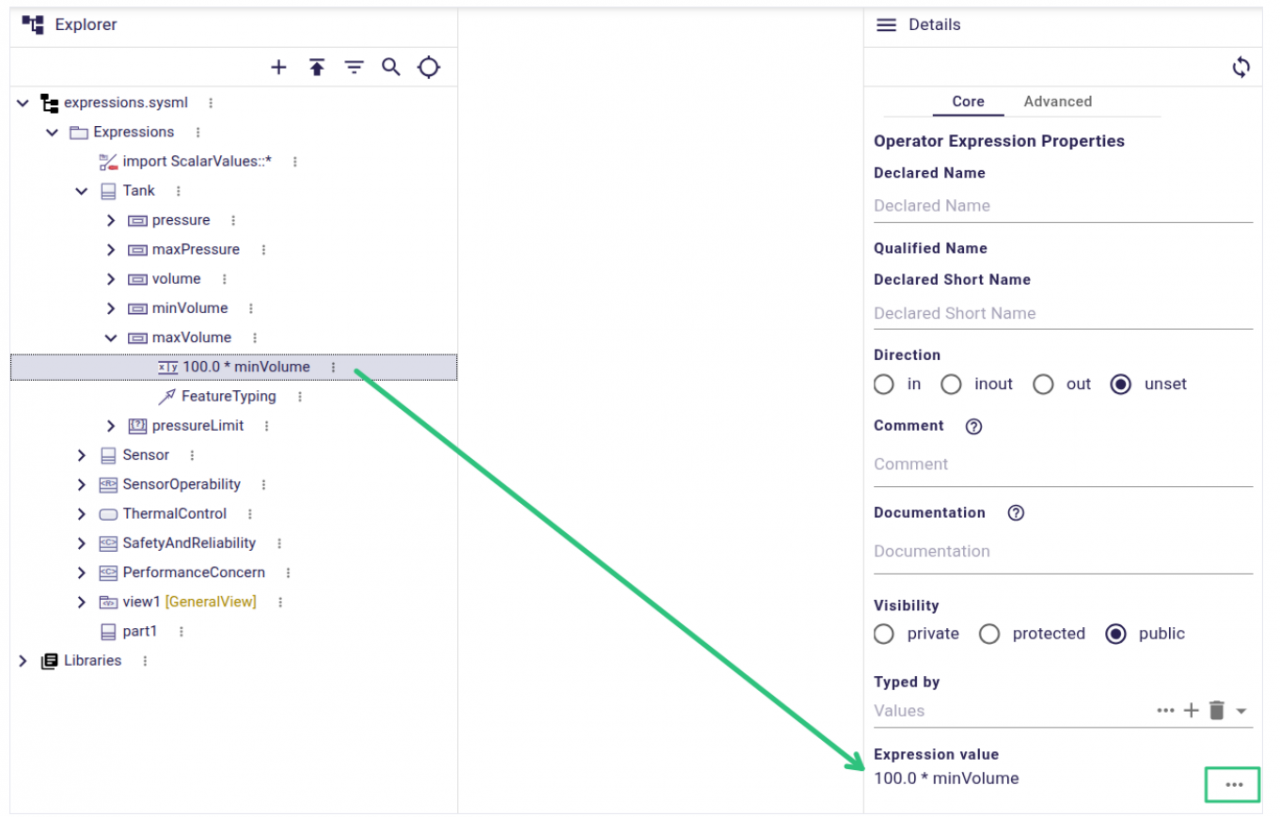
Access and edit textual expressions directly from the Details view.
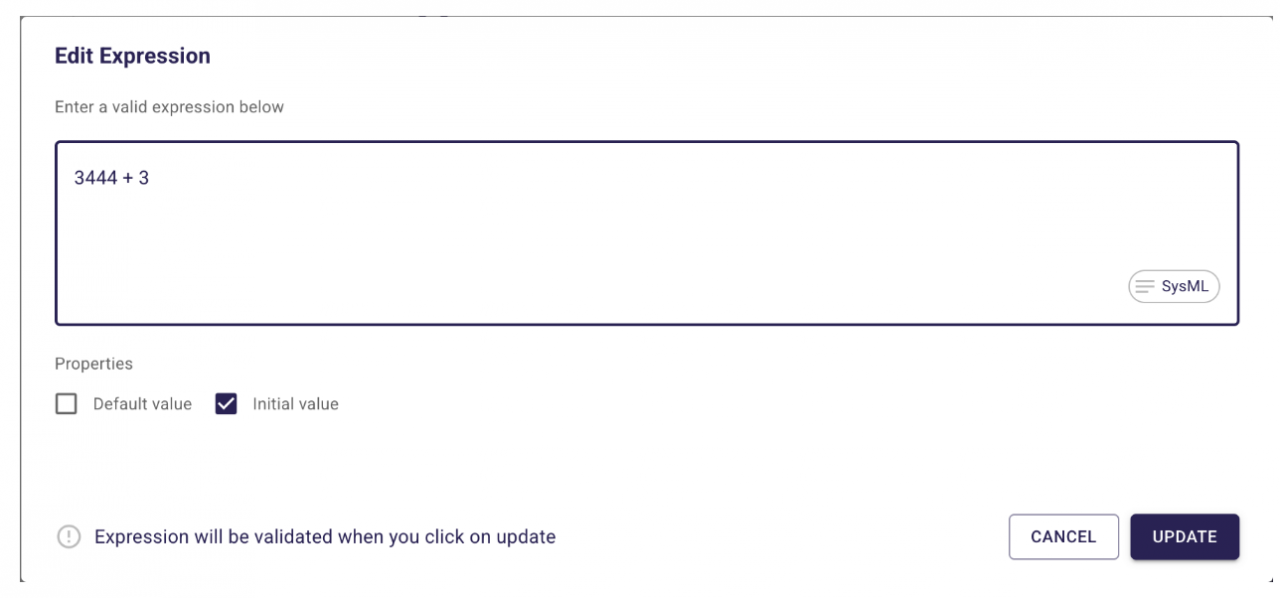
Set an expression as a Default or Initial value directly when editing a value expression
Direct editing has also been refined: when renaming an element that carries a value expression, SysON keeps the expression separate instead of treating it as part of the element name. This helps avoid accidental modifications and directs users toward the dedicated, validated expression editor.
Together, these improvements provide a more consistent way to manipulate expressions across the SysON modeling experience.
More Expressive Behavioral Modeling
SysON 2026.7 also improves the experience of creating state and action models directly from diagrams.
Start and Done states are now represented inside StateUsage and StateDefinition graphical nodes. Dedicated tools in the contextual palette make it possible to create these states directly from the diagram, making the lifecycle of a state definition or usage easier to understand directly from the diagram.
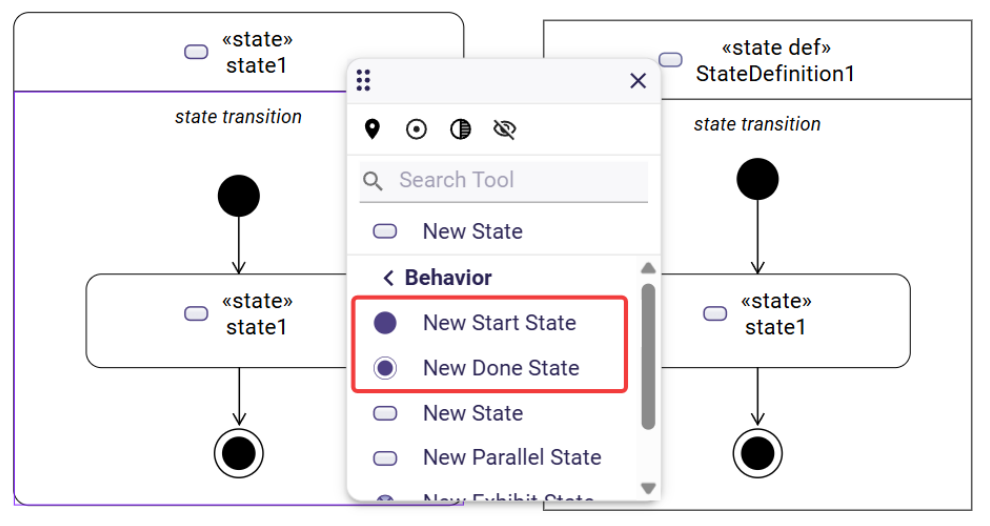
Create Start and Done states directly inside StateUsage and StateDefinition graphical nodes.
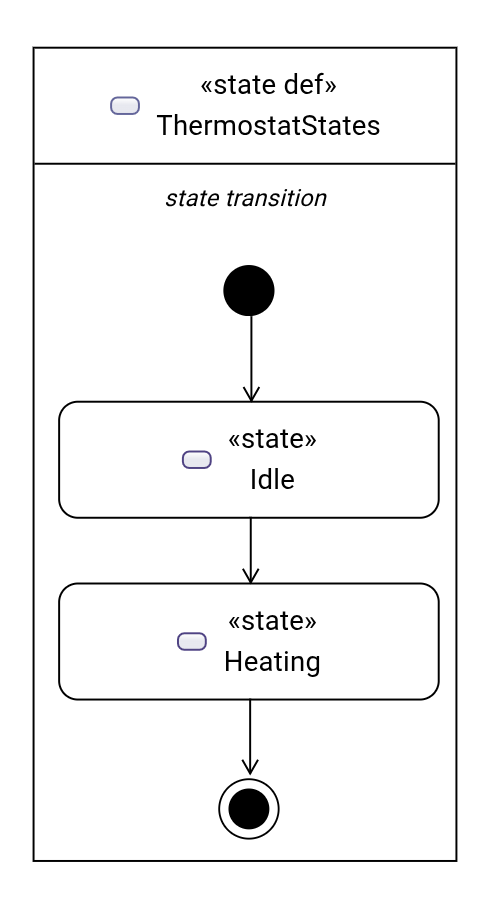
Start and Done states are now displayed directly inside StateUsage and StateDefinition graphical nodes.
The Action Flow View also becomes more convenient for building behaviors. When the diagram is based on an ActionUsage or ActionDefinition, you can now create Start, Done, Decision, Fork, Join, and Merge actions directly on the diagram background.
Build action flows directly from the diagram by adding control nodes such as Start, Decision and Done nodes.
Fork and Join nodes can also be rotated directly from their contextual palette, making it easier to adapt action flow layouts.
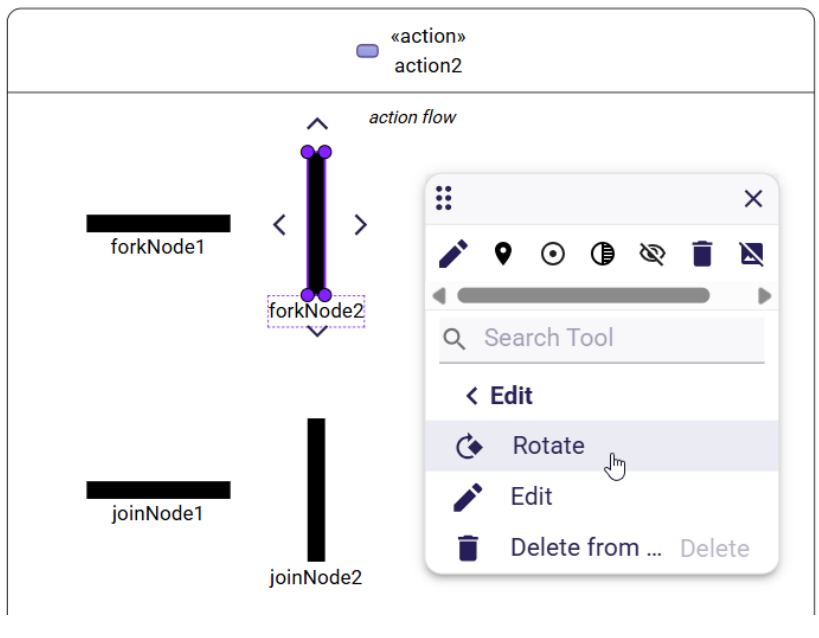
Rotate Fork and Join nodes directly from their contextual palette.
We also improved day-to-day diagram editing, with multi-node drag-and-drop, clearer feedback when moving elements, visible guard expressions on succession edges, and the ability to create connections on one side of a graphical element even when another edge is already connected there.
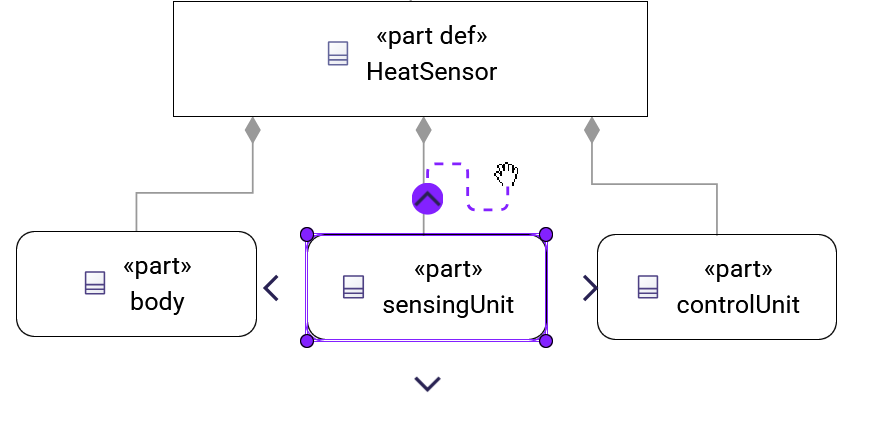
Create new connections on a side of a graphical element even when another edge is already connected there.
Together, these improvements make it easier to build and refine behavioral models graphically, with fewer interruptions to the modeling flow.
Richer Requirements Modeling
Requirements modeling is another area that has significantly evolved across SysON 2026.7 and 2026.9.
SysON 2026.7 introduces support for framing concerns from requirements. A RequirementUsage or RequirementDefinition can now frame a concern, making the relationship between requirements and the concerns they are intended to address explicit in the model.
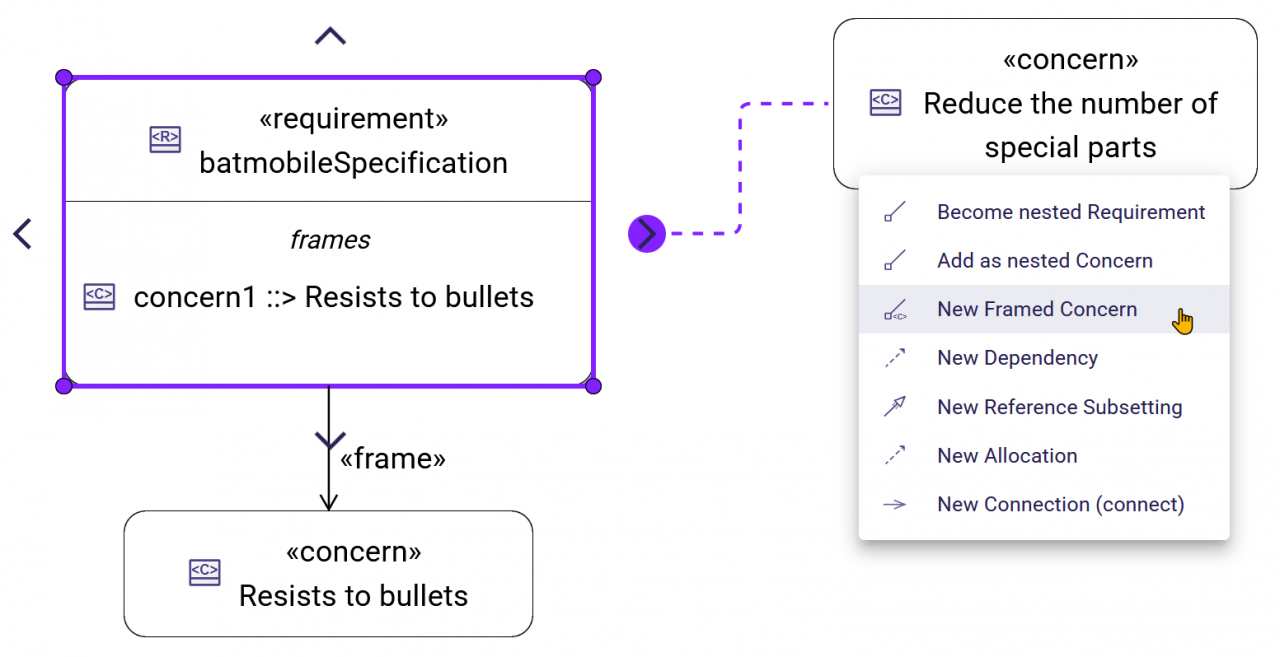
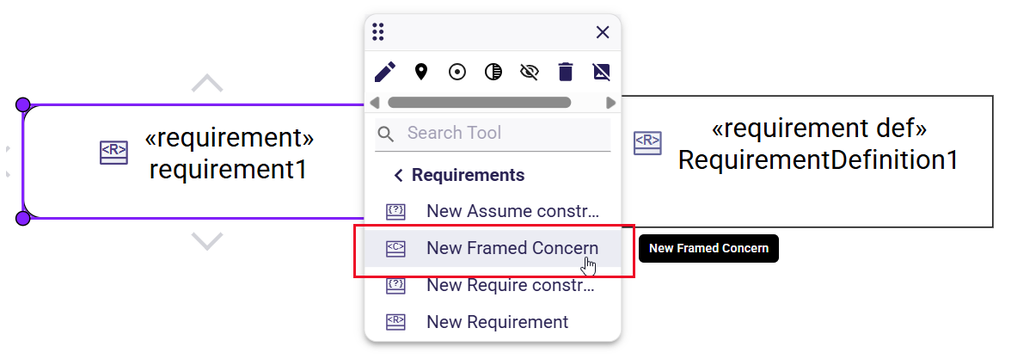
Frame concerns directly from RequirementUsage and RequirementDefinition elements.
The release also extends the relationships available when modeling requirements, with support for require and assume relationships, providing more ways to express requirement semantics directly in the model.
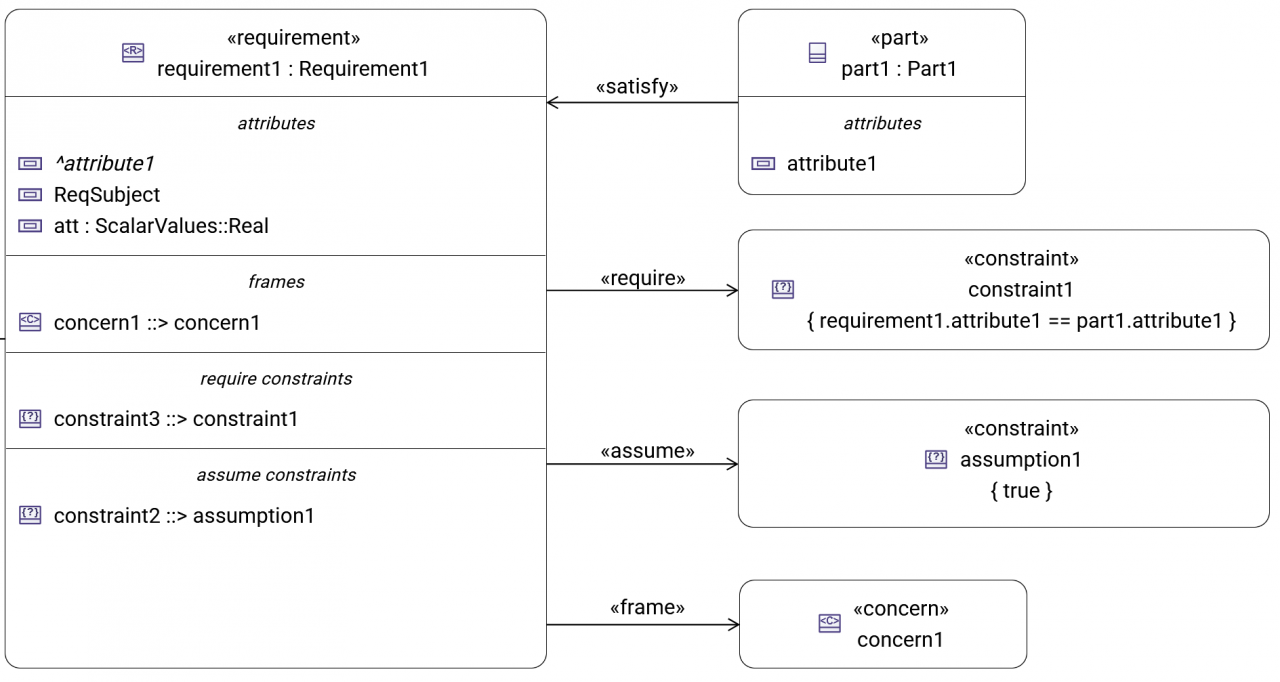
Express require and assume relationships directly in requirement diagrams.
SysON 2026.9 builds further on this work. Requirement derivations are now represented as «derive» edges in General View diagrams, and these relationships can be created directly from the diagram.
Create requirement derivations directly from a General View and visualize them as «derive» relationships.
PartUsage and PartDefinition nodes also gain dedicated requirements and concerns compartments, including tools to create elements directly within them.
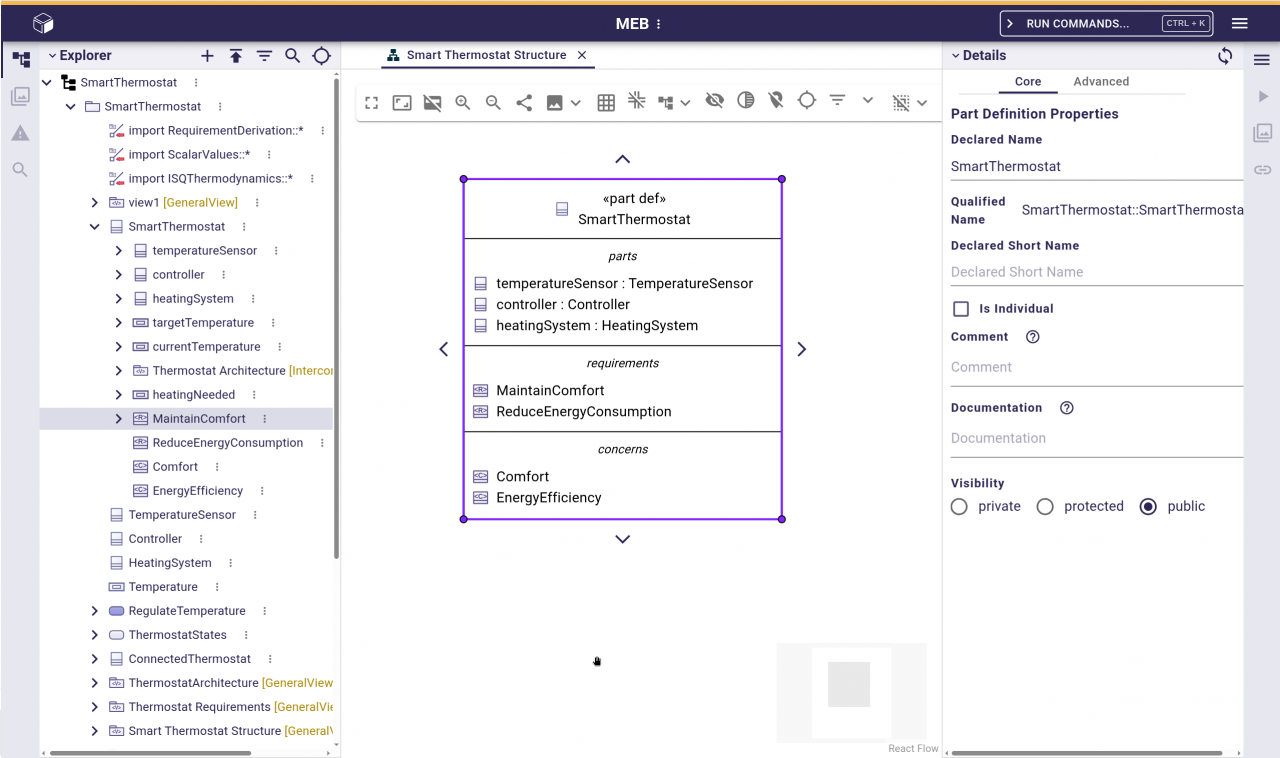
Display requirements and concerns directly within PartUsage and PartDefinition compartments.
Finally, the Requirements Table now better reflects the structure of the model: nested requirements are displayed hierarchically, and new nested requirements can be created directly from the table.
Navigate requirement hierarchies and create nested requirements directly from the Requirements Table.
Together, these improvements make requirements increasingly integrated with the rest of the SysML v2 model, whether users are working from diagrams, structural elements, or dedicated requirement views.
More SysML v2 Concepts Available in Diagrams
Beyond requirements and behavioral modeling, SysON 2026.7 and 2026.9 continue to expand the range of SysML v2 concepts that can be manipulated graphically.
SysON 2026.7 adds support for creating timeslices and snapshots from the different kinds of OccurrenceDefinition graphical nodes. From a diagram, users can choose to create either an occurrence timeslice or snapshot, or the corresponding usage, depending on their modeling context.
Create timeslices directly from OccurrenceDefinition elements in a General View.
SysON 2026.9 also improves how inherited elements are represented in diagrams. A broader range of inherited elements can now be displayed, including requirements, concerns, constraints, actors, subjects, items, and action parameters.
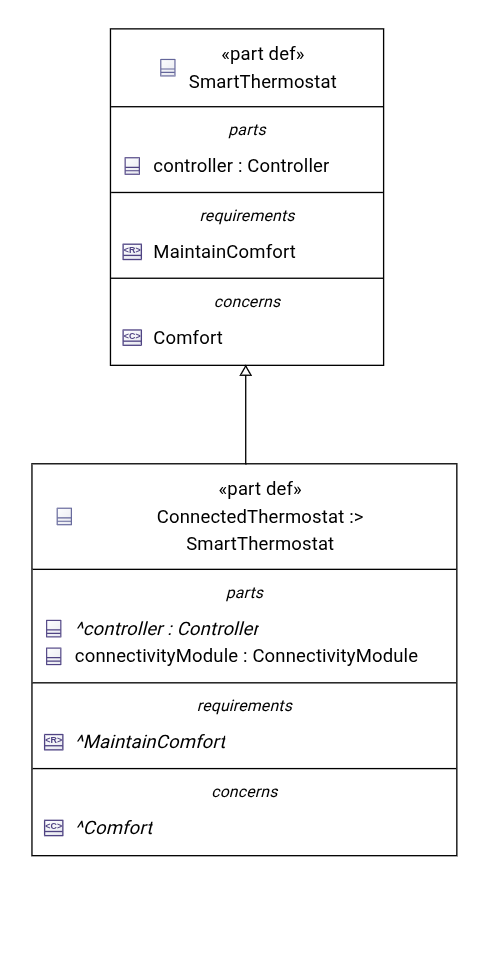
Inherited elements, including requirements and concerns, are now displayed directly in diagram compartments.
This makes diagrams more representative of the complete SysML v2 model, including information inherited through definitions, and reduces the need to navigate elsewhere in the model to understand the context of an element.
Native Docker Images for AMD64 and ARM64
SysON 2026.9 also makes deployment more flexible by extending the platforms supported by its Docker images.
SysON Docker images now run natively on both linux/amd64 and linux/arm64 architectures. This makes it easier to deploy SysON across a broader range of development, CI, and production environments without relying on architecture emulation.
This is particularly useful for teams running SysON on ARM-based infrastructure while keeping the same Docker-based deployment approach across environments.
And Many More Improvements
These highlights represent only part of what landed in SysON 2026.7 and 2026.9. Both releases also include numerous smaller usability improvements, bug fixes, and refinements across diagrams, the Explorer, and the overall modeling experience.
For the complete list of changes, check out the SysON 2026.7 and 2026.9 Release Notes and public changelog.
Thank You to Our Community
SysON continues to grow thanks to the involvement of its open-source community. A big thank you to everyone who contributed code, reported issues, tested new features, shared feedback, or participated in discussions across these releases.
Remember that YEAR.MONTH.0 releases are the stable SysON versions intended for production deployments., intermediate versions are intended for testing and validation.
Ready to try SysON 2026.9?
Explore the latest stable release and discover all the improvements delivered across SysON 2026.7 and 2026.9.
Check out the SysON 2026.9 Release Notes for the complete list of new features, improvements, and bug fixes and join the community to help shape the next releases.