
We’ve been hard at work improving the user experience and rolling out new features to help you get even more out of version 2026.1:
A Wave of Visual Enhancements
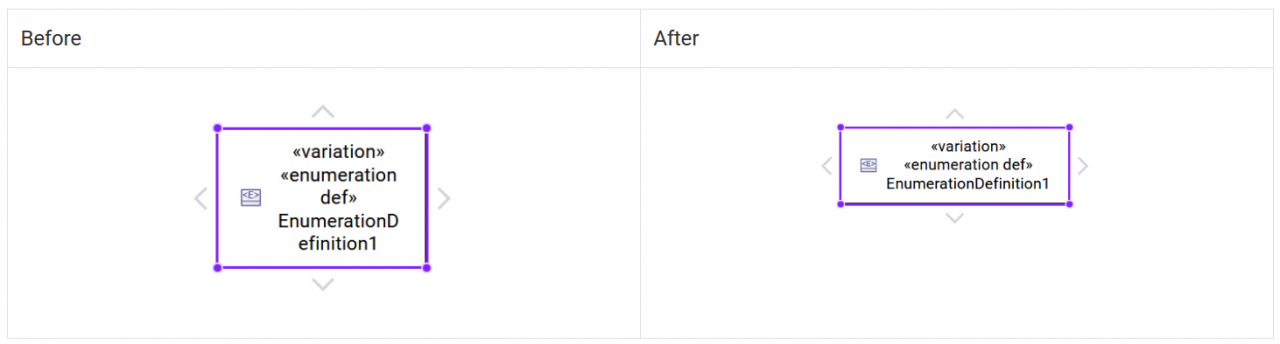
Default Graphical Node Size
Modeling is now smoother because almost new Element creation are automatically selected to accelerate their edition and the default graphical node size has been adjusted to avoid word breaks in label names:
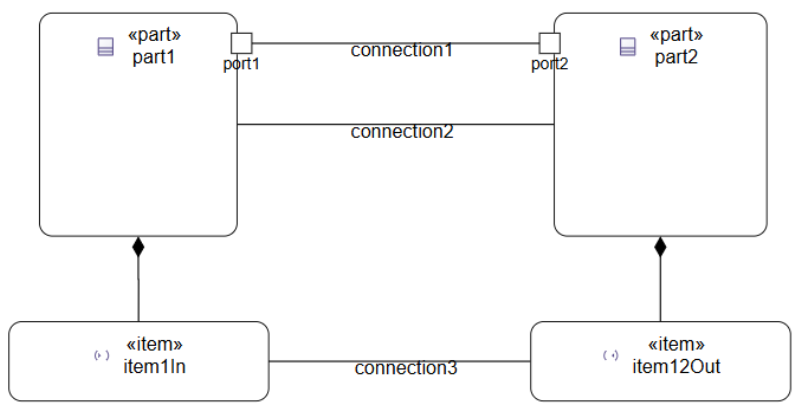
Connections
You will be able to better show interconnection objects in general view because ItemUsage from an Action or a Port are now displayed has border graphical node and you will be able to create binary ConnectionUsage between Usages:
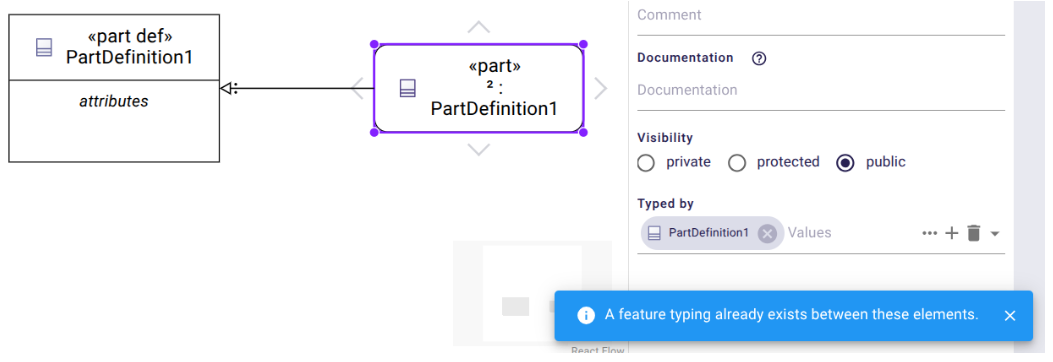
When attempting to create some graphical edges between Elements which already have one of the same type, an informative message is displayed instead. This applies to: FeatureTyping, Subsetting, Redefinition and Subclassification:
Moving Items Between Compartements
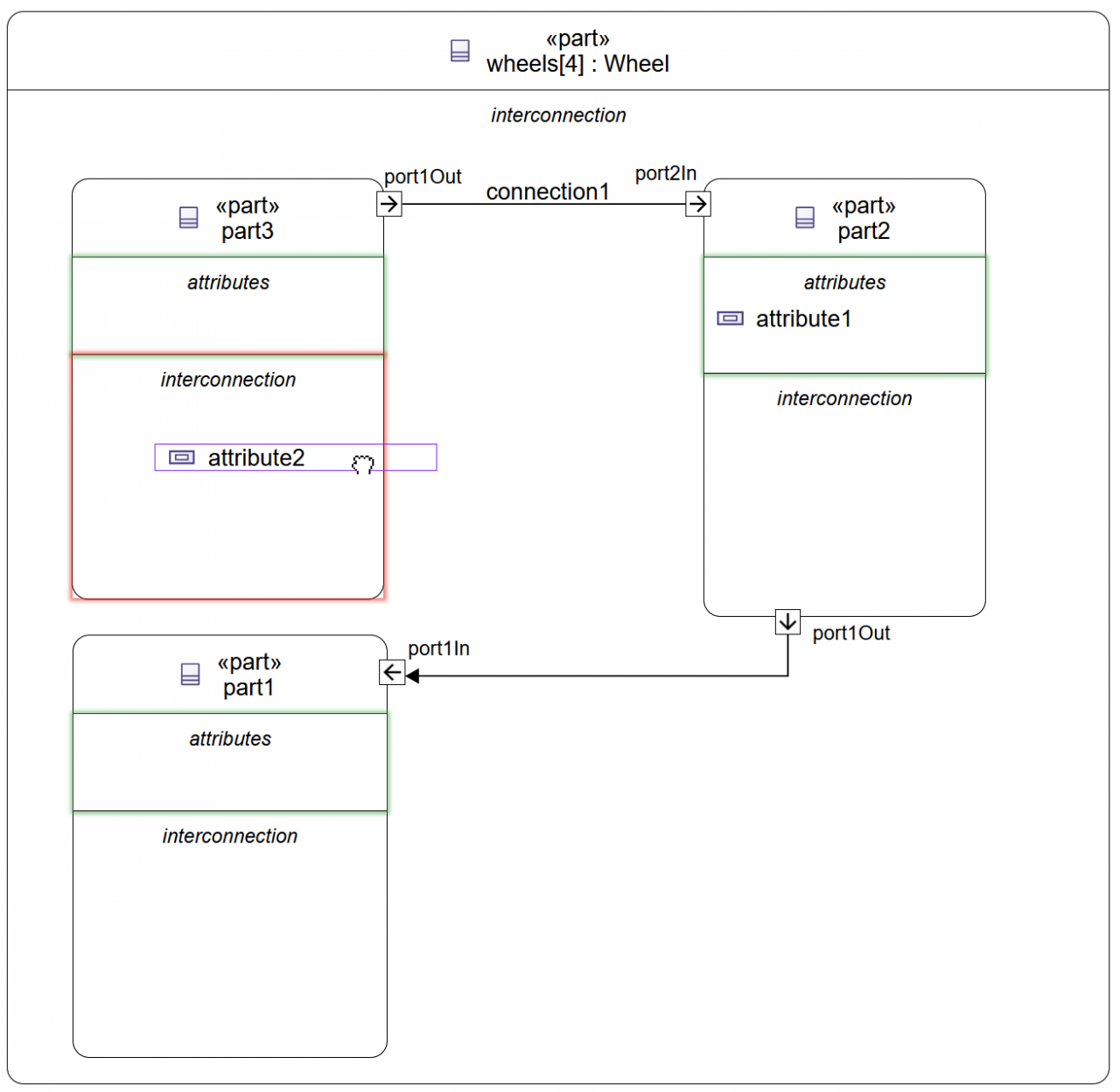
With so many important compartments, we’ve worked hard to simplify their use: now, moving items is easier than ever, thanks to color-coded highlights that guide you (light green = move possible, red = move not possible, green = move effective)
Interconnection View
Interconnection View was improved with the ability to create and see SatisfyRequirementUsage graphical nodes in the interconnection compartment but also by automatically and more efficiently resizing the interconnection compartment, which makes a great improvement on its layout, making it much easier to organize.
Other Graphical Improvements
Significant works were made to drastically reduce issues where objects would change parent unexpectedly during mouse clicks.
Other major evolutions on creating an Element from a compartment, which will be displayed only in the compartment (and no more duplicated on the diagram), or creating Element inside a sub-Package which will no more duplicate or hide graphical node: default priority is given to compartment shown however, the elements can still be displayed on the background of the diagram if the user wishes.
Of course everything is not solved but you will be able to see a major step forward in graphics stability.
New features
New Compartments
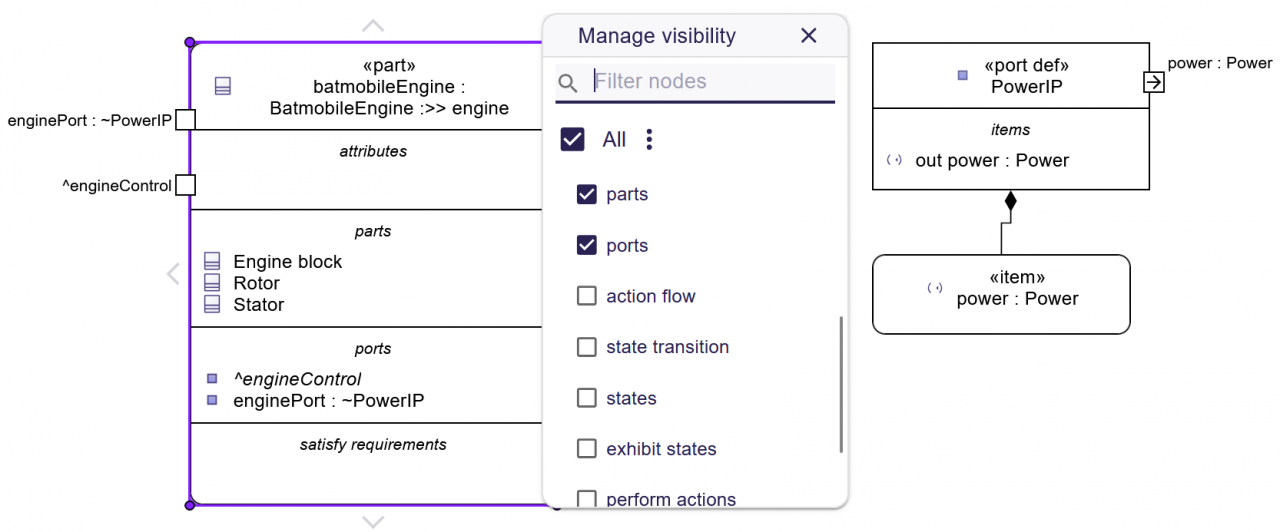
New compartments are now available like SatisfyRequirement and Parts on Part, and Items on Ports:
Comments and Documentation in the General View
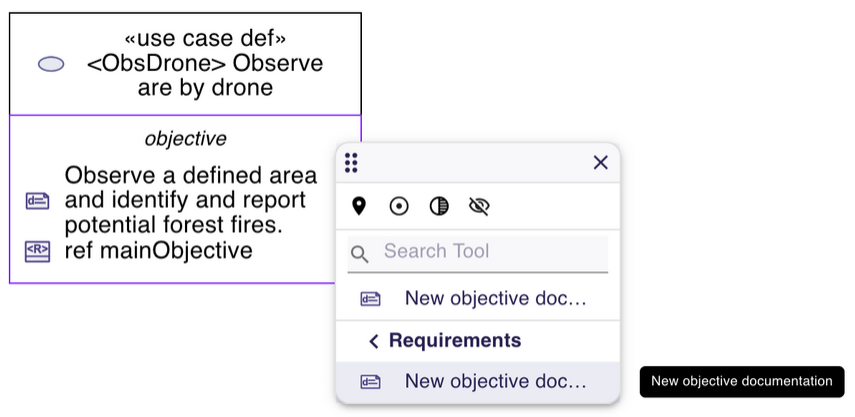
On General View diagrams, it is now possible to create Comment graphical nodes from the diagram background and create, edit and see Documentation in the objective compartment of Case and UseCase graphical nodes:
We took this opportunity to fix an issue where the creation of a PerformAction inside a StateUsage did not reveal the corresponding compartments in the StateUsage graphical node.
More power with interface evolutions
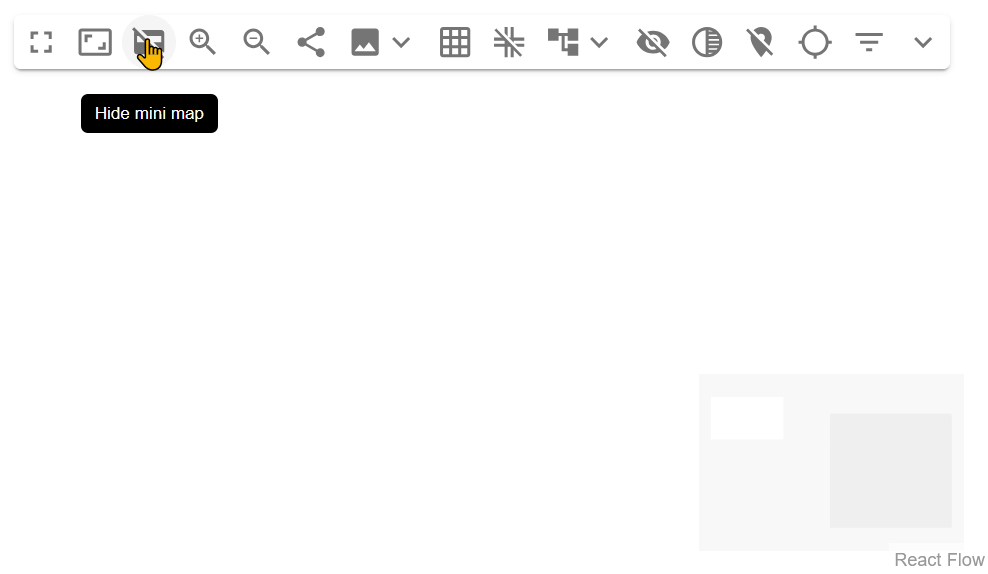
The main tool bar of a diagram now proposes to hide the Mini Map:
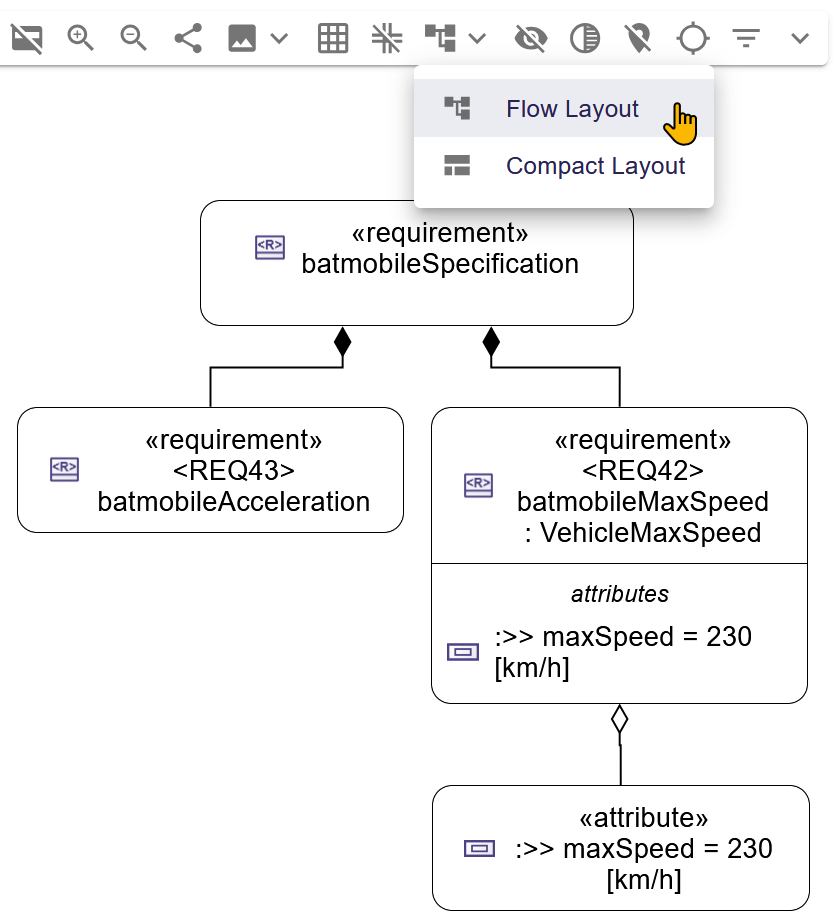
From the main toolbar, it is also possible to auto-layout your diagram in two ways, Flow or Compact:
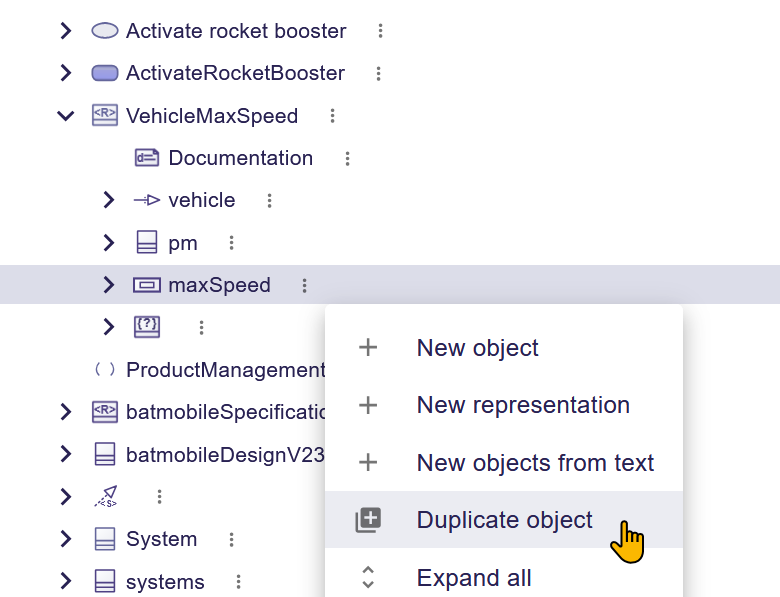
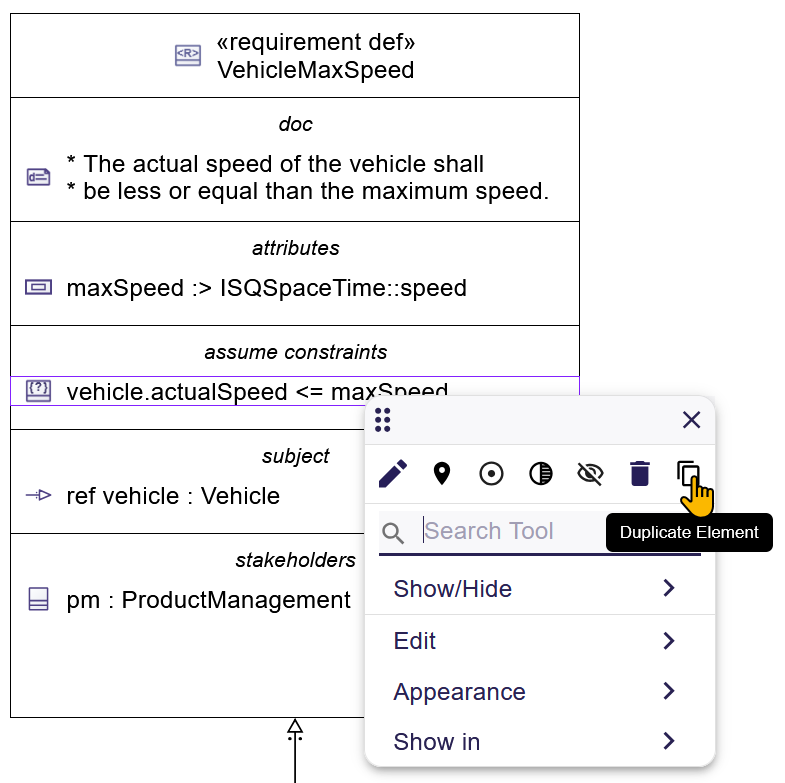
Duplicating a semantic Element is now possible (not available on Relationships)
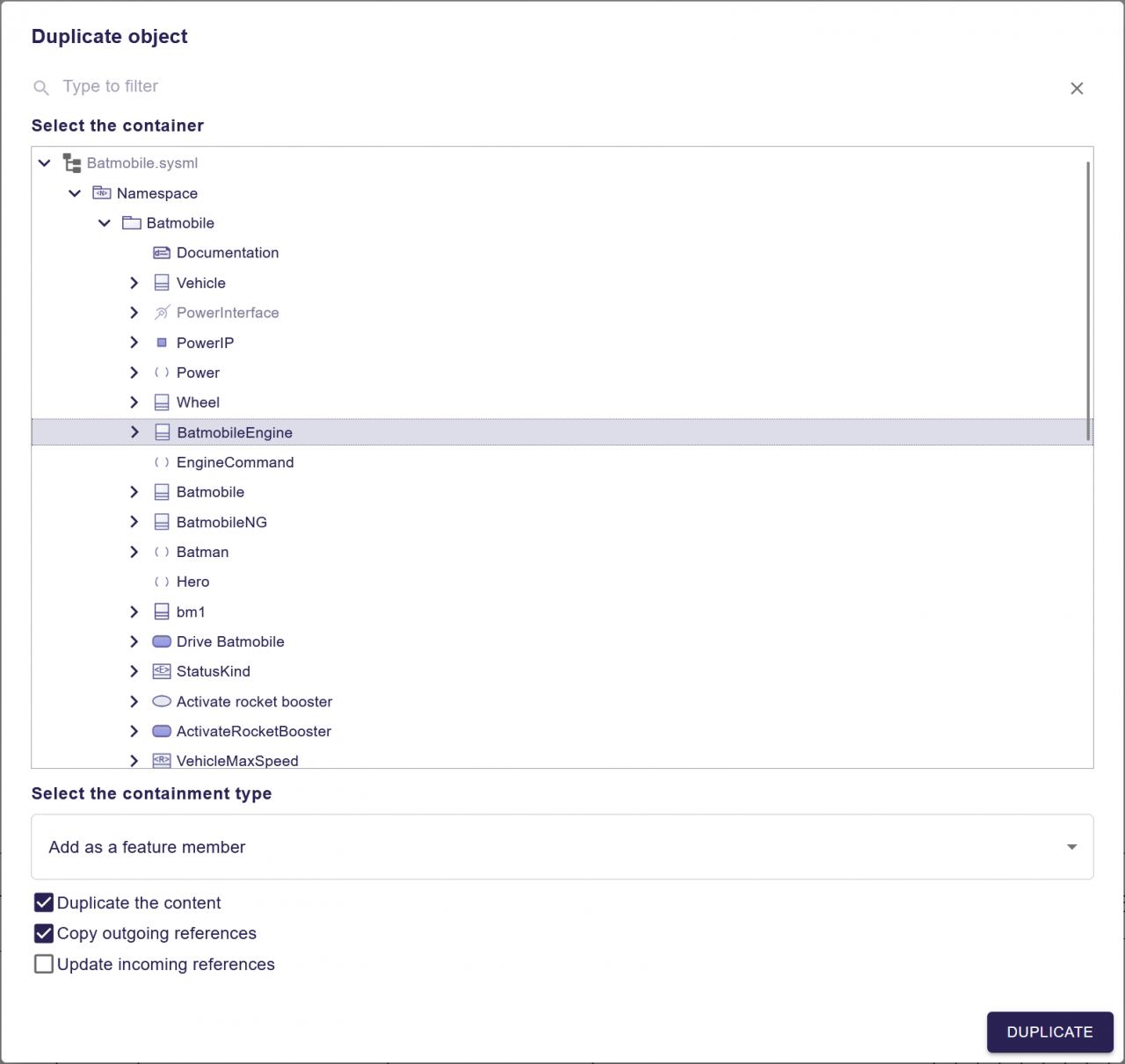
This duplication action is available from the Explorer and a Graphical View:
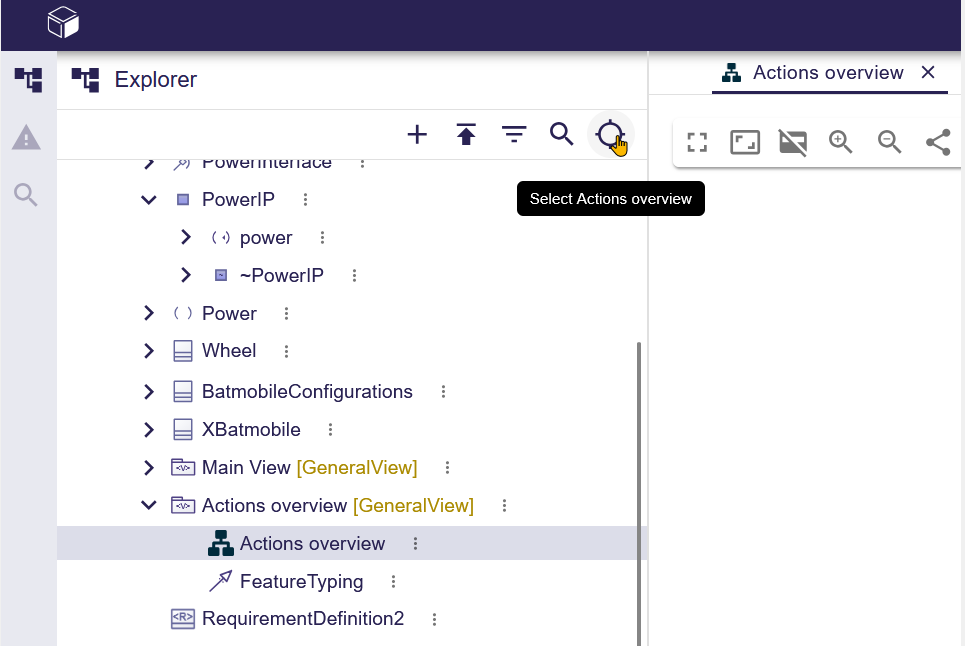
In the Project Explorer, you can now reveal a diagram currently open in the main editor area, just like any model element in a diagram:
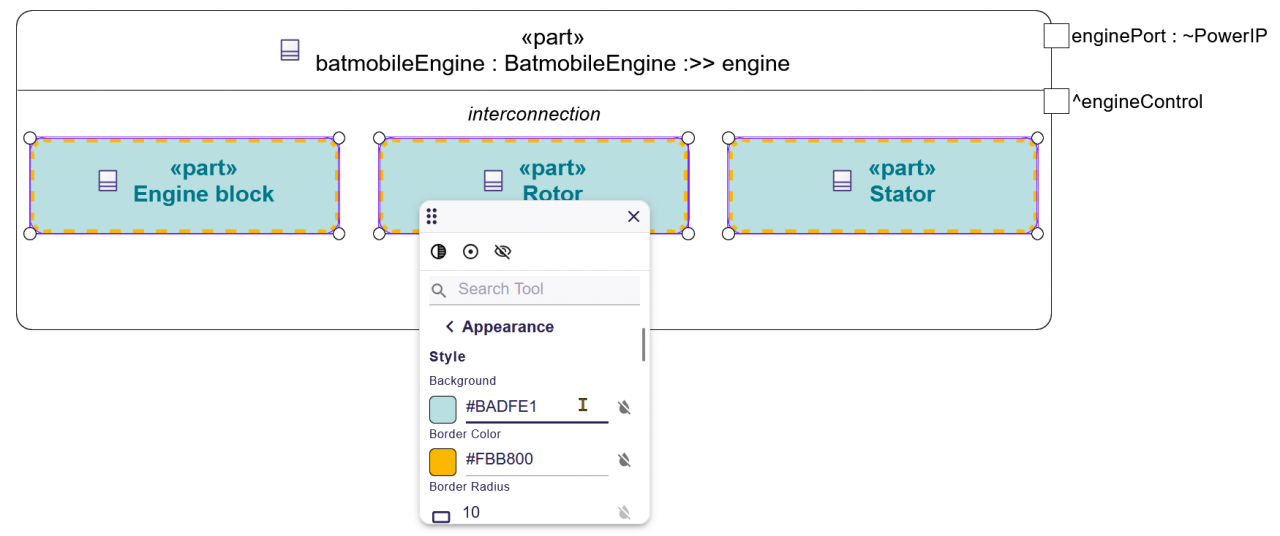
Appearance customization is now possible on multi selection to ease personalization of your diagrams:
Other New Features
When creating a Subject or an Actor you can now be based on Definition in addition to Usage.
Evolutions on direct edit permit on an AttributeUsage value to easily use symbols from the SI library: we are now auto importing the library automatically if we detect the use of a symbol from the SI library.
In addition you can now place a multiplicity range part (for example [n..n] or [n]) after a typing part, subsetting part or redefinition part, instead of only before it:
- Before, you could only write:
part p1[4] :> p2, part p6[4] :>> p1 or part p1[4] : DefA - Now you can also write:
part p1 :> p2[4], part p6 :>> p1[4] or part p1 : DefA[4]
Library evolutions
In the Explorer, we fixed two issues:
- imported libraries were displayed at the root of the project if they contained
LibraryPackageelements, - non-
Namespaceelements are now correctly displayed under the User libraries directory.
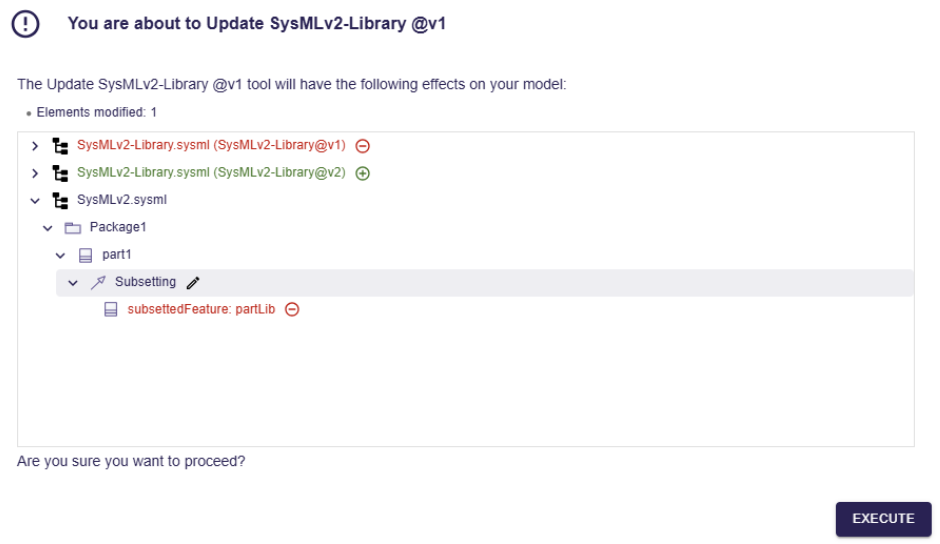
The impact analysis dialog now displays changes in a tree. This dialog provides an overview of the impacts the operation will have on the model (number of elements created, deleted, modified), as well as a tree showing the impacted elements:
Continous improvements on textual export
We didn’t just focus on the visual aspects, we also dedicated significant effort to:
- improving textual notation with performance improvements of textual export on big SysMLv2 models,
- properly export
Elementswith name that conflicts with a SysML keyword (like comment, part …), - solve issue on
LiteralRational, where such values were wrongly rounded during textual export, - well export
ConstraintUsagesandSatisfyRequirementUsage.
We also fixed the textual export of FeatureValue using enumeration value such as in:
package root {
 enum def Enum1 {
 e1;
 e2;
 }
 part p2 {
 attribute z1 : Enum1 = Enum1::e1; // Previously was attribute z1 : Enum1 = e1;
 }
}
As you can see, the user experience continues to improve with each version, and we are not stopping here. We will keep pushing forward to deliver one of the best modeling tools available. Stay tuned, and make sure to update to our latest major releases to follow the project’s evolution.