
Note: this message covers both the changes in Sirius Web 2026.5.0 and Sirius Web 2026.7.0.
Since Sirius Web 2026.3.0, we continued improving the modeling experience with a strong focus on richer diagrams, smoother day-to-day workflows, and a more robust platform.
This release introduces new diagram capabilities such as decorators, configurable layouts, and palette improvements, while making common interactions more predictable and easier to use. It also includes significant work behind the scenes on extensibility, testing, logging, documentation, and platform dependencies that prepares Sirius Web for future evolution.
Key highlights
- Richer diagram semantics and layout control
- Redesigned diagram and Explorer palettes
- Improved modeling workflows and workbench usability
- More robust diagram editing
- Java 21, updated platform dependencies, and SBOM generation
Richer Diagram Semantics and Layout Control
Diagrams remain central to Sirius Web, and this release brings several improvements that make them both more expressive for specifiers and more comfortable for end users.
Richer Diagram Semantics
Node Decorators Bring Richer Visual Feedback
Sirius Web 2026.5.0 added support for node decorators in diagrams. Specifiers can now define decorators directly in the View DSL and attach them to nodes to highlight important information such as warnings, semantic states, or other points of interest. Decorators are small icons that can be positioned around a node using cardinal and ordinal directions. Node decorators apply to specific kinds of graphical nodes, while semantic decorators are directly associated with semantic elements and are displayed on every graphical node representing these elements. Both are only visible when their precondition expression evaluates to true.
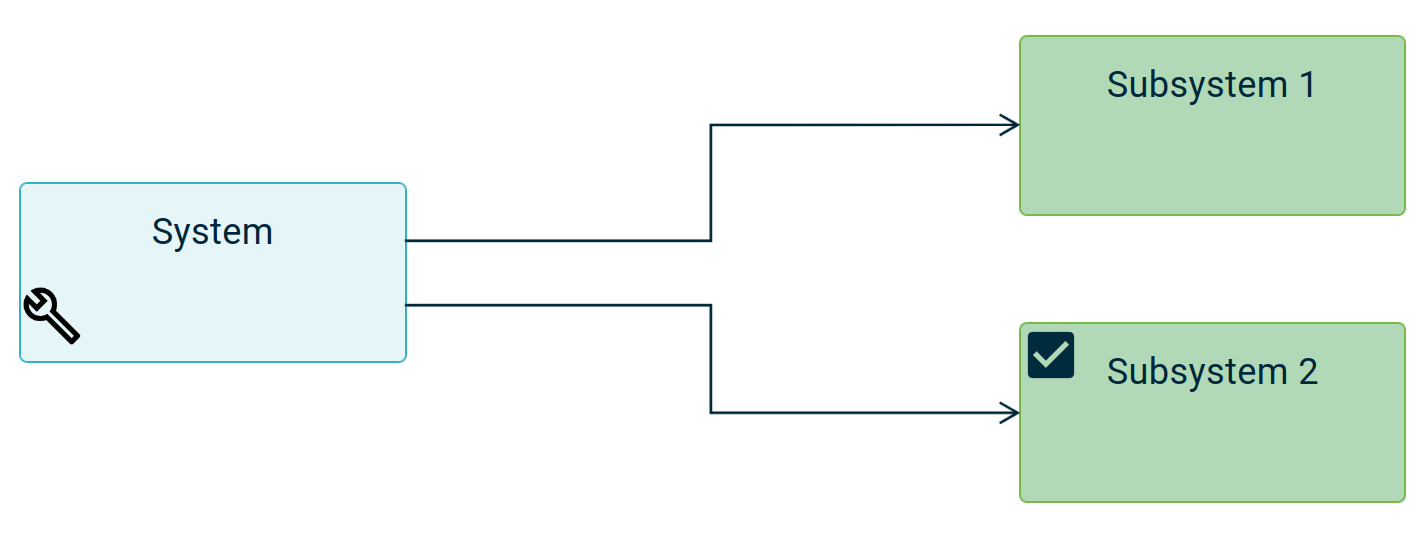
When multiple decorators share the same position on a node (e.g. three decorators configured to apply on the top-left corner), Sirius Web preserves readability by displaying a single “...” indicator and exposing all decorators in a tooltip.
More Control Over Diagram Rendering
Diagram backgrounds can now be configured using the new Diagram Style element. A diagram may define both a default style and conditional styles associated with preconditions. This makes it possible to adapt the background color to the current modeling context. While any color can technically be used, we recommend subtle, muted colors to preserve readability.
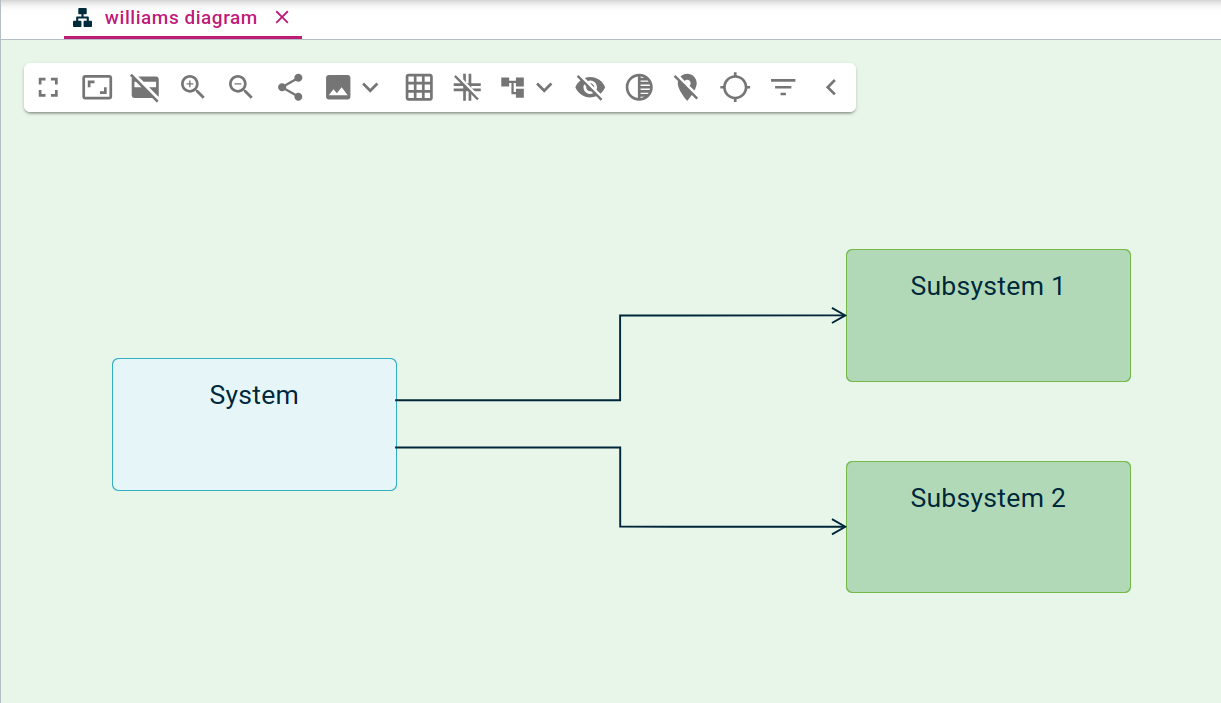
Better Layout Control
Several improvements make automatic layout more predictable and produce cleaner diagrams.
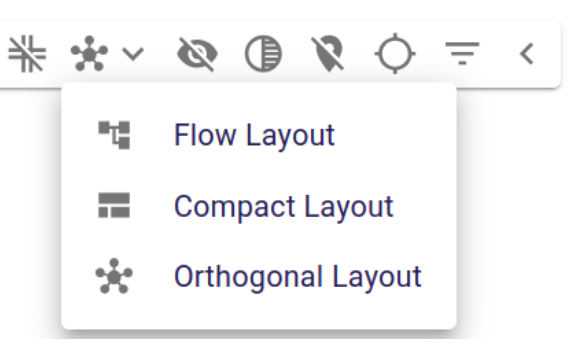
A new orthogonal layout configuration has been added to the Arrange Elements menu, together with improvements for edges-on-edges, bend points, and handle positioning.
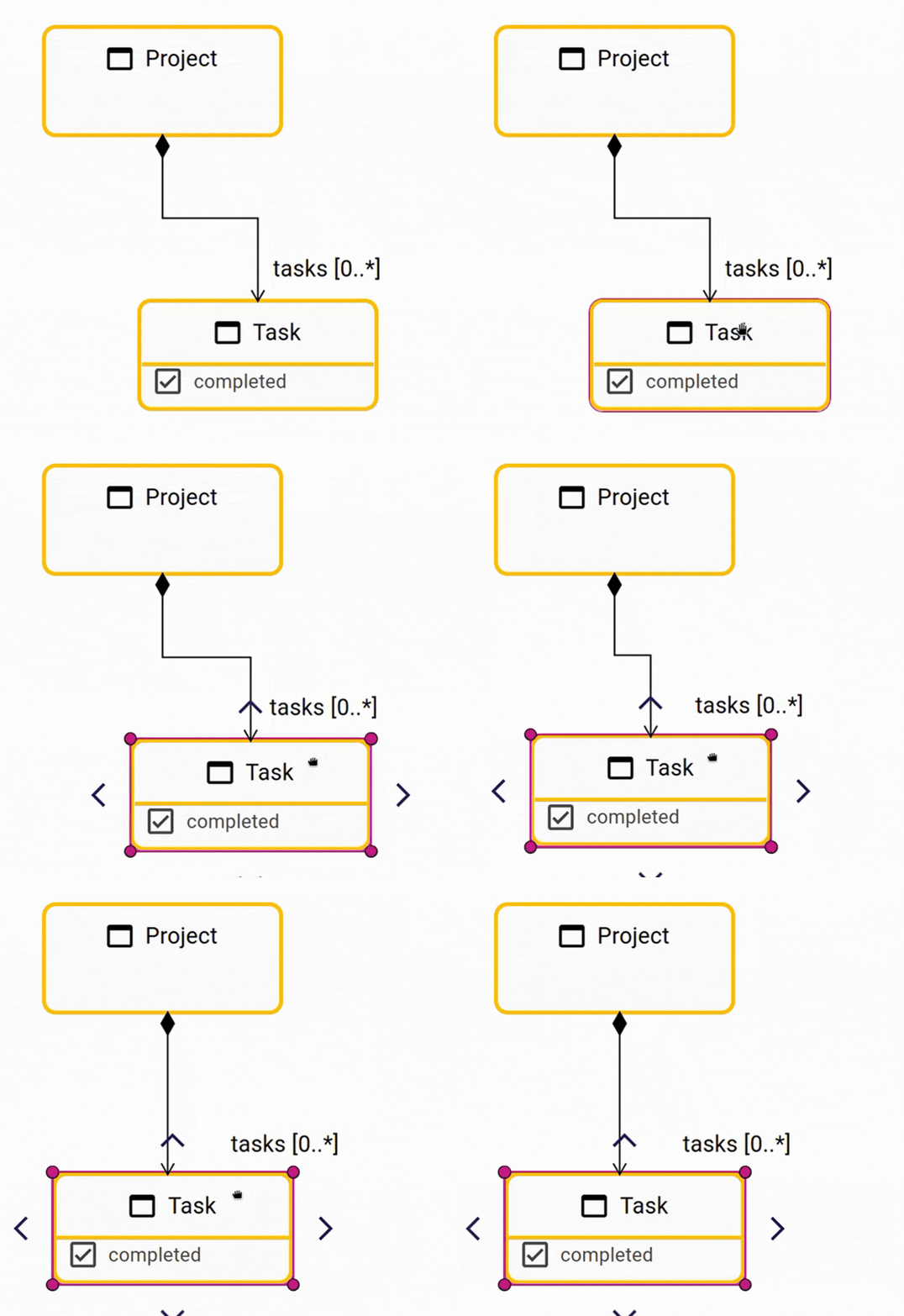
Finally, Sirius Web now automatically aligns source and target positions when edges become nearly horizontal or vertical. This subtle snapping behavior removes small visual gaps and produces cleaner diagrams with less manual adjustment.
Pinned nodes are now preserved during automatic layout operations.
The platform also remembers the last layout configuration used for the Arrange All action, making repeated layout operations much more convenient.
Context-aware Diagram Preferences
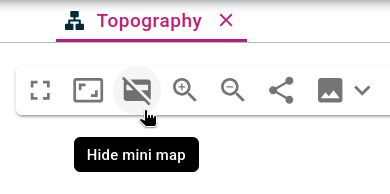
The minimap can now be hidden by default on a per-diagram basis. This gives specifiers more control over the initial experience while still allowing users to keep their own preference for a given diagram from the diagram’s toolbar:
Improved Diagram Editing
Better Multi-selection
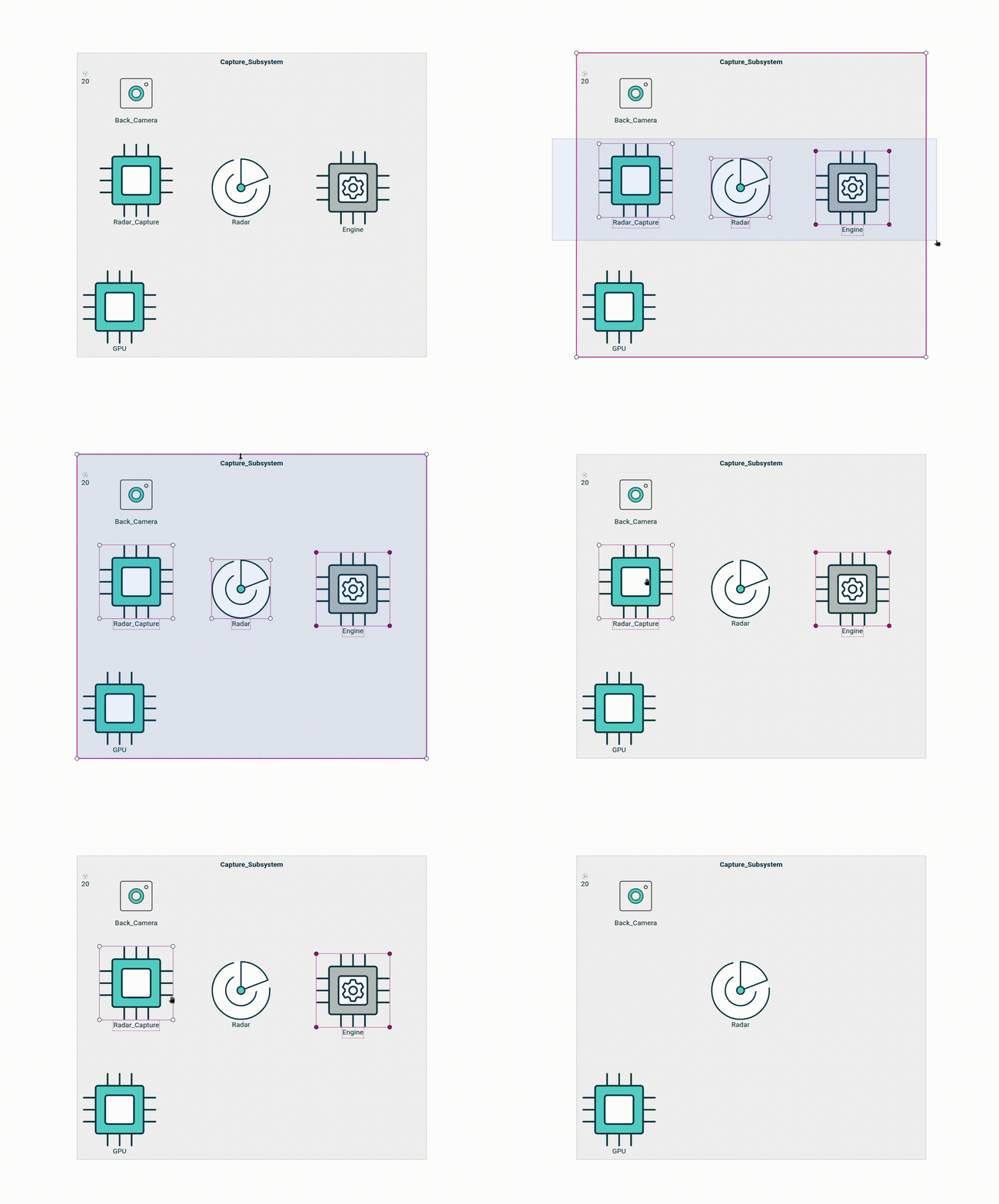
Diagram editing becomes more efficient with improvements to multi-selection. After performing a lasso selection, users can refine it by Ctrl-clicking unwanted elements instead of starting over.
A Redesigned Diagram Palette
The diagram palette has been significantly improved. It is now wider, making tool labels easier to read, and supports fuzzy search to help users quickly locate the desired tool.

These improvements make the palette both easier to use for modelers and easier to customize for downstream applications. The redesigned architecture allows frontend and backend extensions to contribute or override tools in a modular way, enabling downstream applications to build richer and more coherent palettes.
Quick tools now use dedicated extension points and support multiple selected elements. On the backend, multiple palette providers can contribute to the same section, with Sirius Web automatically merging their contributions. Applications can also customize these merged sections globally through a new palette customization hook.
More Robust Diagram Editing
Beyond these new capabilities, Sirius Web 2026.7.0 includes many refinements that make diagram editing more predictable and comfortable.
Exported diagram images now use the representation name as the generated filename, making downloaded images easier to identify.
Direct edit now uses a white background instead of a transparent one, making labels easier to read regardless of the underlying diagram.
The release also includes numerous fixes that improve the predictability of diagram editing. Among them:
- customized edge handle positions are preserved after project import;
- multi-selection resizing keeps element positions more consistent;
- helper lines disappear correctly after resize;
- list node layouts are preserved during resize;
- edge-on-edge handles are positioned more accurately;
- palette search behaves more reliably;
- repeated tool invocation works correctly;
- resetting edge-on-edge labels works again;
- Arrange All no longer fails when an edge connects a parent node to one of its children;
- edges are no longer reset when source and target nodes become vertically or horizontally aligned;
- creation handles are rendered in dedicated nodes, ensuring they remain clickable even when crossed by an edge.
Together, these improvements and many smaller fixes, make complex diagrams significantly more reliable and comfortable to edit.
Beyond diagrams, Sirius Web 2026.5.0 and 2026.7.0 also introduce several improvements across the rest of the platform, including the Explorer, representation creation workflows, the workbench, and documentation.
Explorer and Tree Representations
The Explorer view and other tree representations now share the same palette experience as diagrams. This provides a consistent way to discover and invoke actions from both the Explorer view and diagrams. If needed, the previous palette can still be enabled by setting the property sirius.web.tree.new-palette.enabled to false.
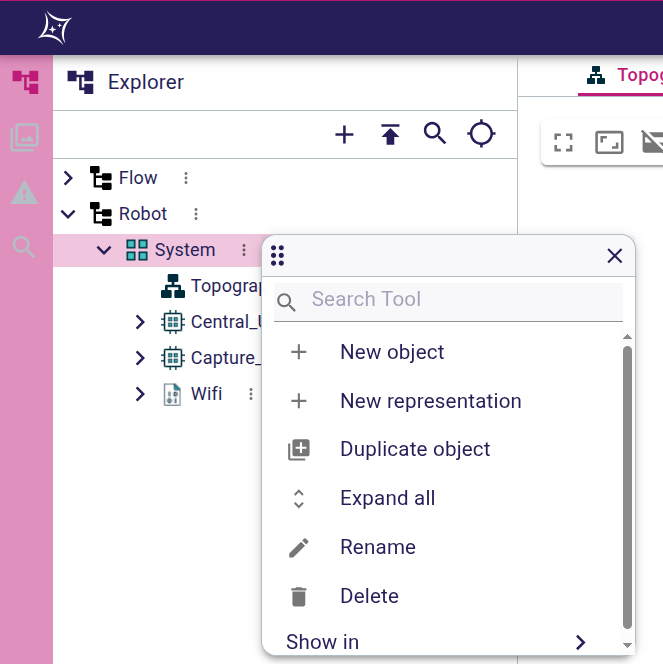
Note: for the moment, opening the palette on the Explorer is still done using a left-click on the “...” icon of an element.
Smoother Modeling Workflows
This release also improves the everyday experience around creation flows, selection, and navigation.
Better Representation Creation
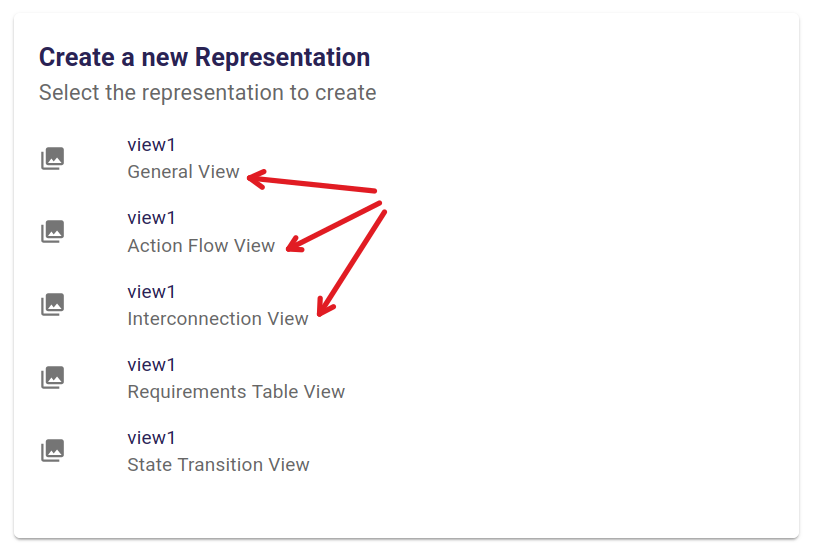
Creating a new representation is now clearer thanks to the addition of end-user documentation in the new representation modal. When users choose a representation, Sirius Web can now display a short description below the selector to explain what that representation is for.
This helps reduce ambiguity, especially in environments with multiple related representation types.
Better Element Selection and Filtering Tools
Selection workflows have also been refined. The selection dialog received several usability improvements, including better customization and fixes around the various labels that can be displayed by the dialog.

These selection dialogs, when opened from a diagram, now automatically expand the tree to reveal the element on which the tool was invoked. This gives users immediate context when a tool asks for an additional selection.
A First Public Documentation Site
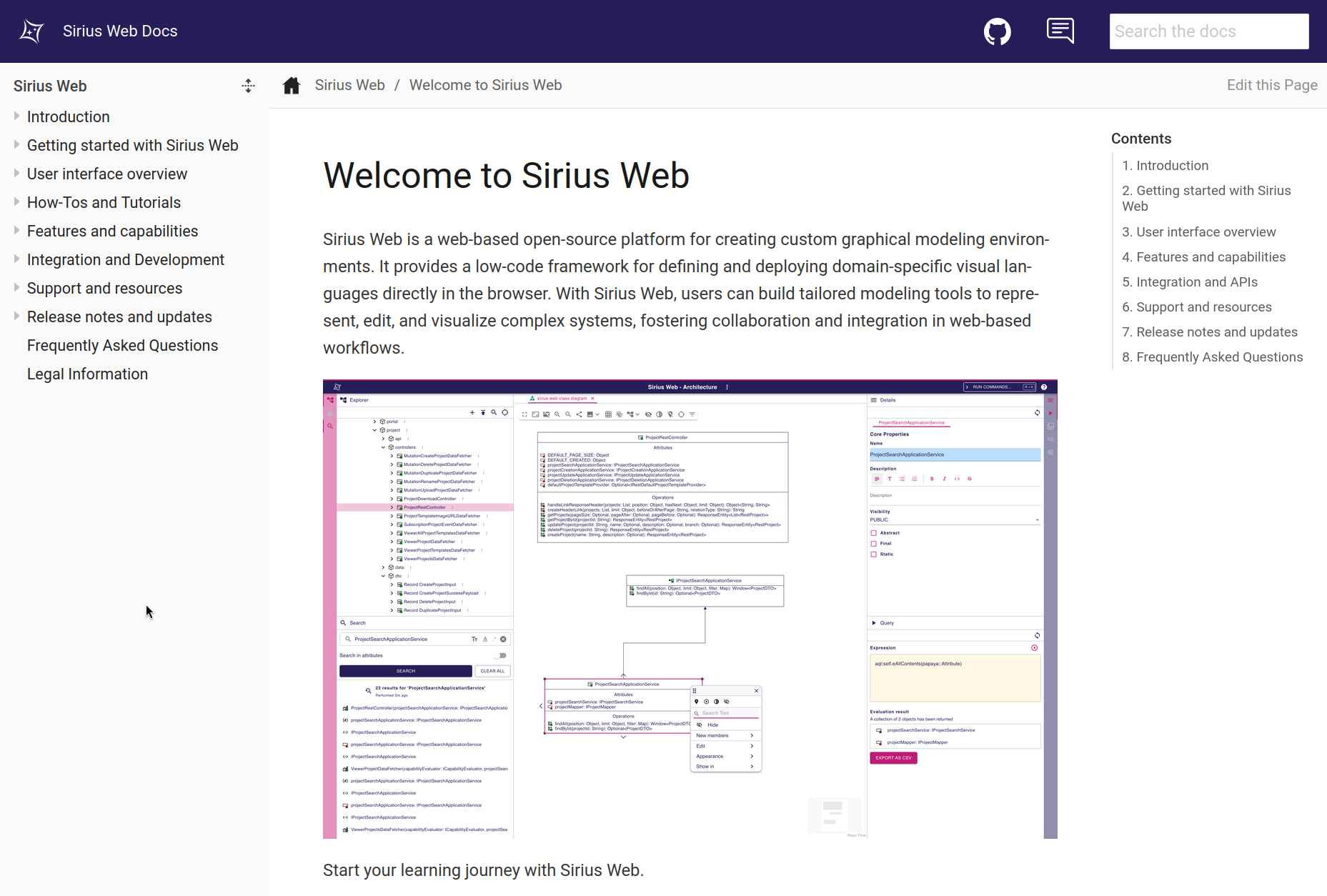
Sirius Web now provides its first public documentation website at https://eclipse.dev/sirius/sirius-web/doc. The website currently covers the user manual, installation guide, developer guide, studio maker guide, FAQ, and detailed release notes
Workbench and Navigation Improvements
The workbench also received several usability improvements.
Left and right views now keep the order provided by the WorkbenchConfiguration, making customized workbenches more predictable.
View headers are now owned directly by each view, which gives individual views more control over their title area and actions.
The project title in the navigation bar has also been made more compact, helping preserve space in the main workbench. Browser history handling on workbenches has been fixed as well, improving navigation consistency.
Search is now extensible through search service delegates, allowing downstream applications to customize search while keeping the default behavior as a fallback.
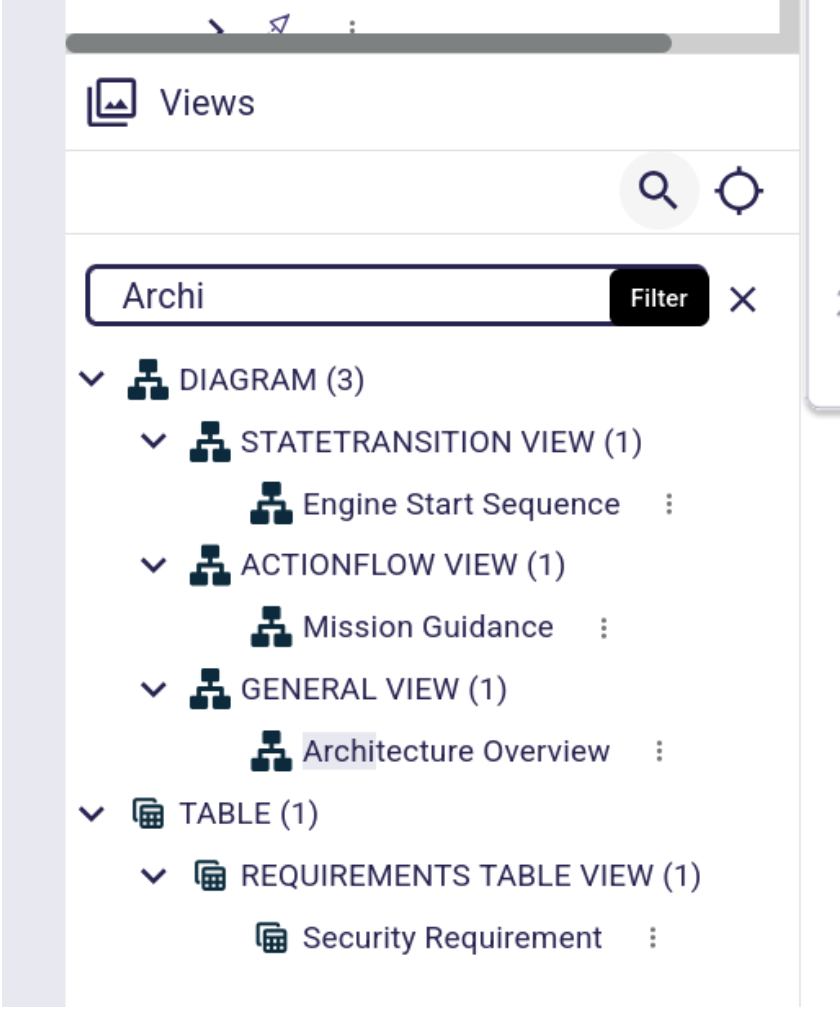
The Views Explorer also gains select and filter tools:
Gantt Improvements
Gantt diagram support now introduces a dedicated dependencyLink concept. This improves how dependencies between tasks are described and handled, and gives specifiers more room to model richer task relationships
This change affects Gantt descriptions, so adopters with custom Gantt integrations should review their models. The user-facing benefit is a stronger foundation for task dependency management in Gantt representations.
Platform Updates and Supply-chain Metadata
This release raises the baseline to Java 21 for both build and runtime. It also updates major dependencies, including Spring Boot 4.0.7, Vite 8.0.14, EMF 2.46.0, EMFJson 2.5.4, and React Resizable Panels 4.11.2.
The build now generates and publishes SBOMs to the Eclipse Foundation DependencyTrack instance (note that an Eclipse account is needed). This gives consumers better visibility into the dependencies used by Sirius Web and supports stronger supply-chain tracking.
Together, Sirius Web 2026.5.0 and 2026.7.0 deliver richer diagrams, smoother modeling workflows, and a more extensible platform. Whether you are building modeling applications or using them every day, these releases provide a stronger foundation for the next generation of Sirius Web–based tools.