
Sirius Web 2026.3.0 is out! This release is focused on flow.
Rather than centering on a single flagship feature, this version improves the moments that shape everyday modeling work: finding the right view, triggering the right tool quickly, keeping diagrams readable, and giving specifiers more control over the experience they deliver.
The result is a 2026.3 release that feels faster, cleaner, and more adaptable, for both end users and teams building modeling applications on top of Sirius Web.
- A New Views Panel
- Keyboard Shortcuts for Faster Actions
- Diagrams That Stay Readable
- More Flexible Selection Dialogs
- An Improved Diagram Editing Experience
- A Stronger View DSL
A New Views Panel
One of the most visible additions in Sirius Web 2026.3.0 is a new Views panel in the workbench.
This new panel gives users a dedicated place to browse views directly from the workbench. It helps clarify navigation and makes the overall experience easier to understand, especially in environments where multiple representations coexist.
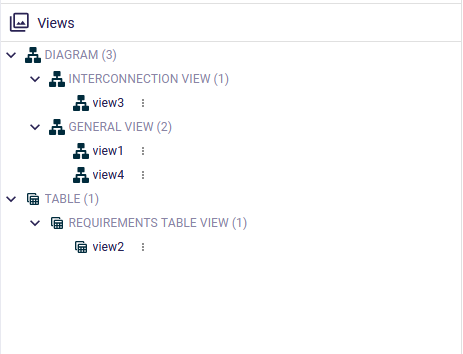
By giving views their own space, Sirius Web makes the workbench feel more structured and easier to explore. Users spend less time wondering where to look and more time moving through their modeling workflow.
For application builders, this new panel is also designed to be adaptable. Sirius Web now makes it possible to customize the content and labels of the Views Explorer, making it easier to reflect the vocabulary and organization of a specific domain.
Keyboard Shortcuts for Faster Actions
Speed matters, especially for repeated actions. Sirius Web 2026.3.0 introduces support for key bindings on tools in diagrams and trees.
In diagrams, users can now trigger tools directly from the keyboard when those tools are available for the current selection. Shortcuts are also displayed next to tool names in the palette, which makes them easy to discover and learn progressively.
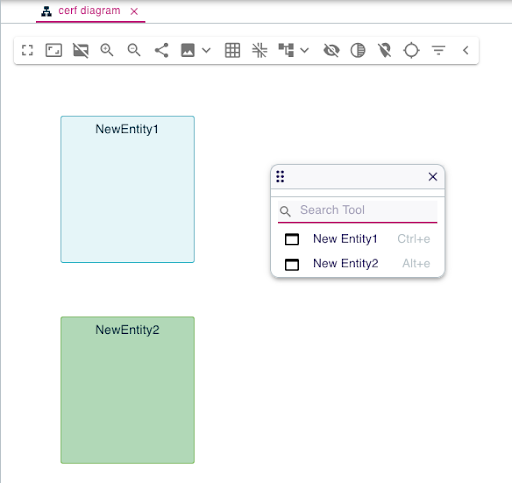
This improves more than raw speed. It also improves focus. Instead of repeatedly navigating menus or palettes, users can stay closer to their modeling task and move more naturally through common actions.
The same principle now applies to tree-based interactions as well. Context menu entries in tree views can also be triggered through key bindings, bringing a more consistent keyboard experience across the Sirius Web workbench.
For specifiers, this means keyboard shortcuts become part of the model-driven experience itself. They can now be declared directly on diagram tools and tree context menu entries, making productivity features easier to design into an application from the start.
Diagrams That Stay Readable
This release also restores auto-layout support for diagrams.
Readable diagrams are not just nicer to look at. They are easier to understand, easier to review, and easier to keep under control as models evolve. With automatic layout support back in place, Sirius Web helps users maintain a clearer visual organization with less manual effort.
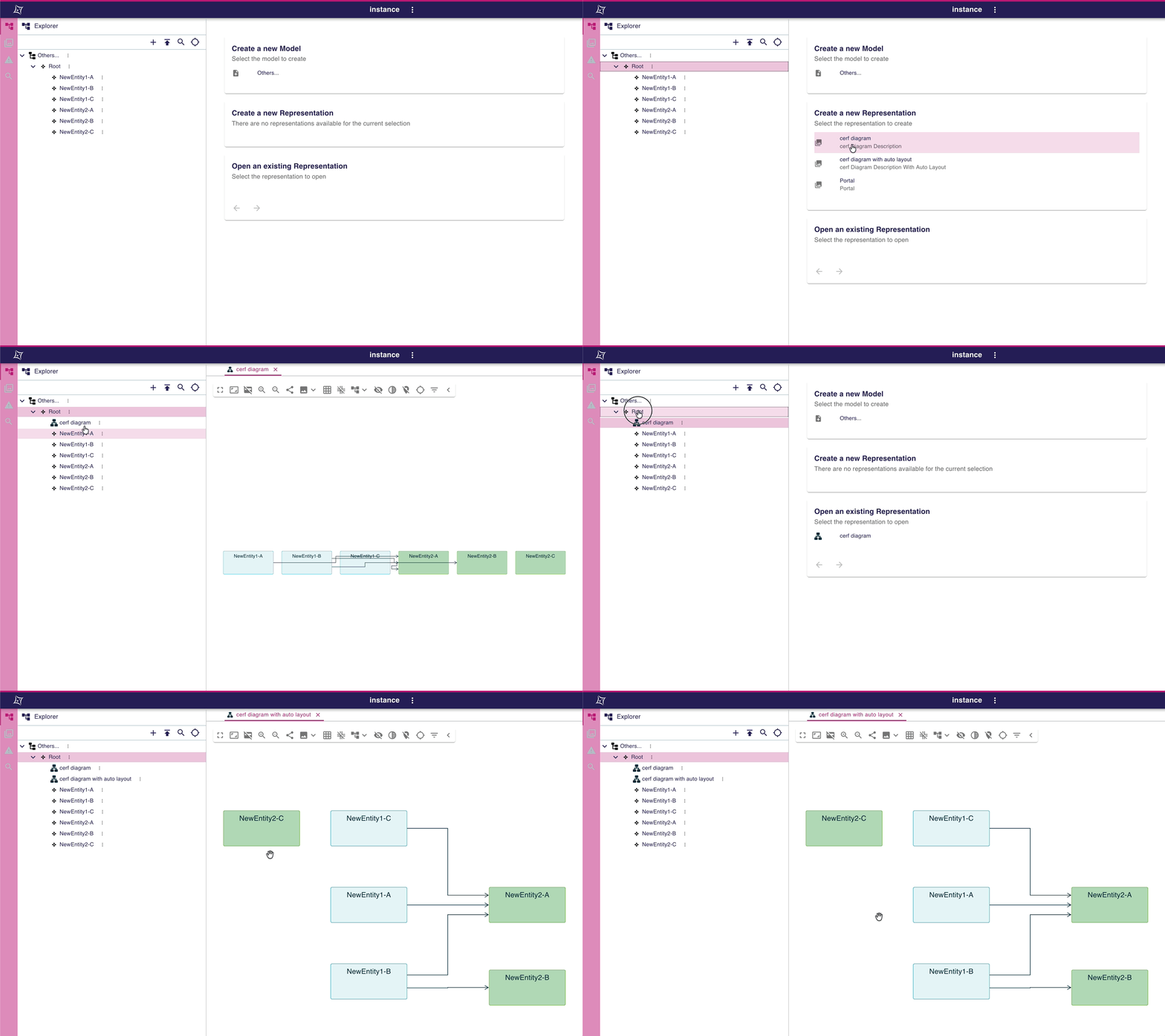
This is the kind of feature that quietly improves the whole experience. It reduces cleanup work, helps diagrams stay usable as they grow, and supports better communication through visual structure.
More Flexible Selection Dialogs
Selection dialogs become more natural in Sirius Web 2026.3.0.
Until now, some workflows forced users to make a selection even when the underlying action could still make sense without one. This release removes that rigidity by allowing selection dialogs to be confirmed without selecting an element, when the tool definition allows it.
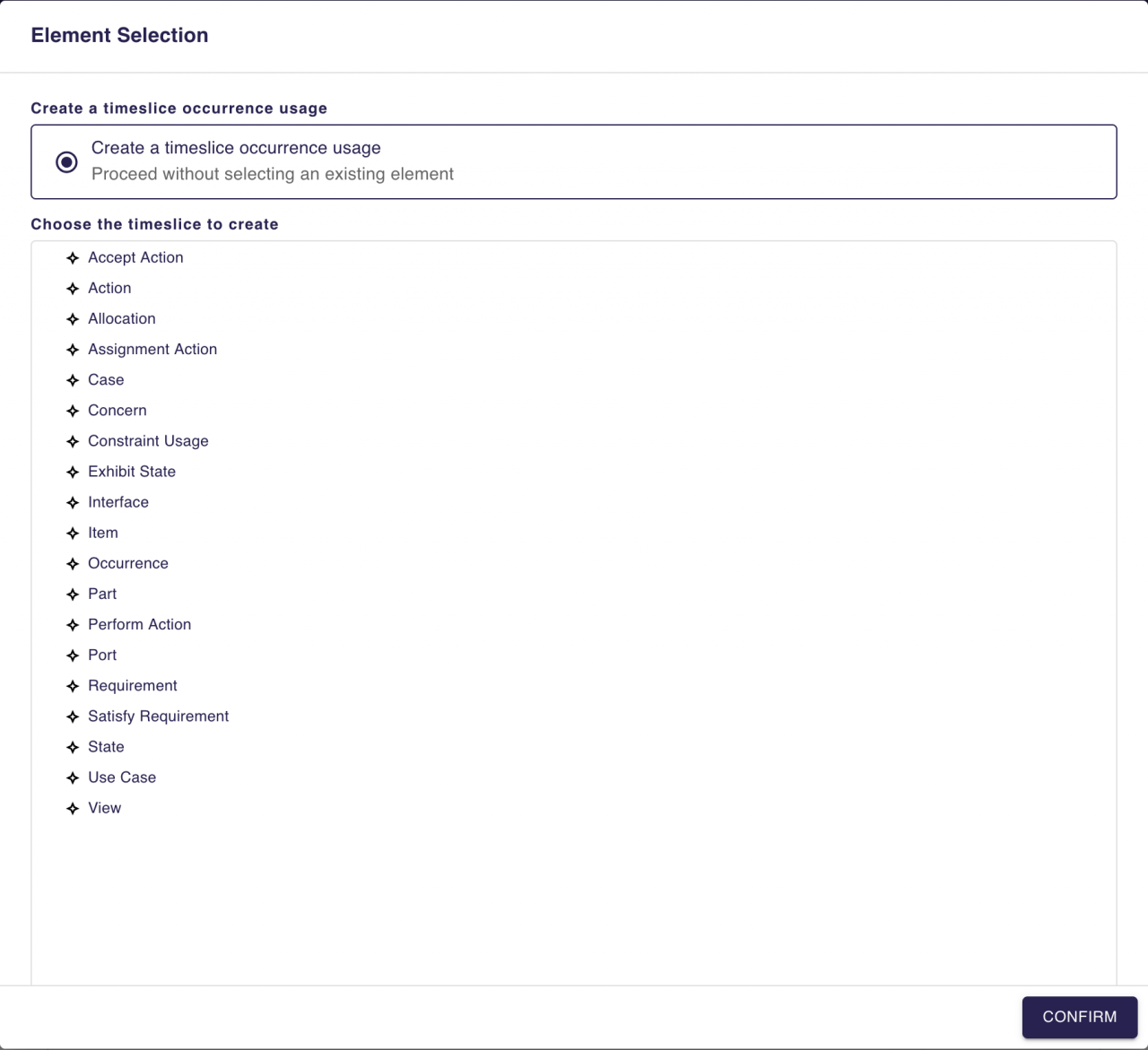
For users, that means fewer artificial steps and clearer choices. The dialog can now explicitly support “continue without selection” behavior instead of forcing a selection just to move forward.
For specifiers, this is equally valuable. They no longer need to define multiple tools to support “with selection” and “without selection” variants of the same action. That behavior can now be expressed directly in the selection dialog definition itself, along with a dedicated label that explains what happens when no element is selected.
It is a focused improvement, but a meaningful one: cleaner UX for users and less duplication for specifiers.
A Better Diagram Editing Experience
Sirius Web 2026.3.0 also includes several targeted improvements that make diagram editing feel more fluid.
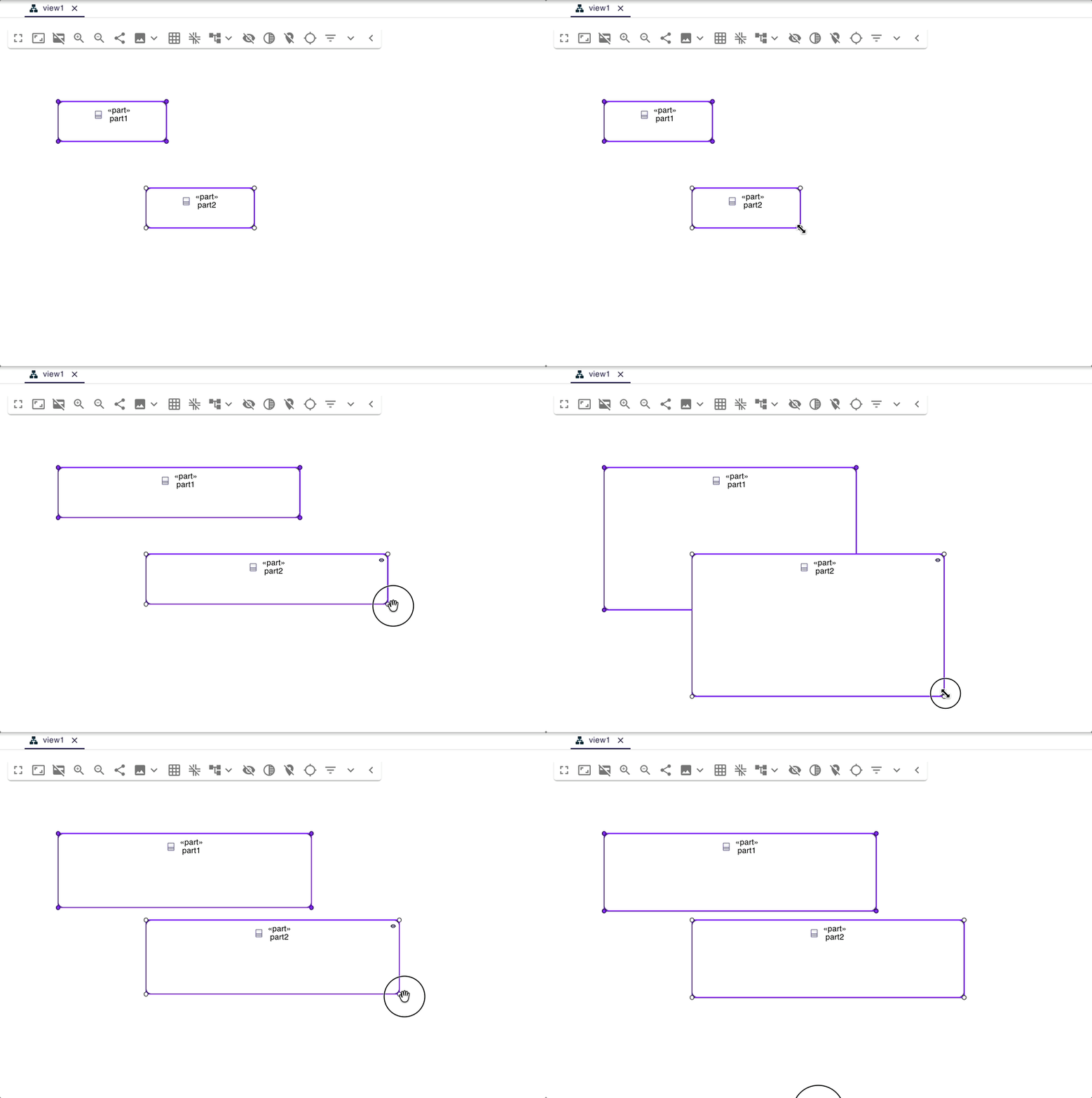
Users can now resize several elements at once during a multi-selection. This is especially useful when aligning or harmonizing a diagram, since repetitive adjustments can now be applied to a group instead of one node at a time.
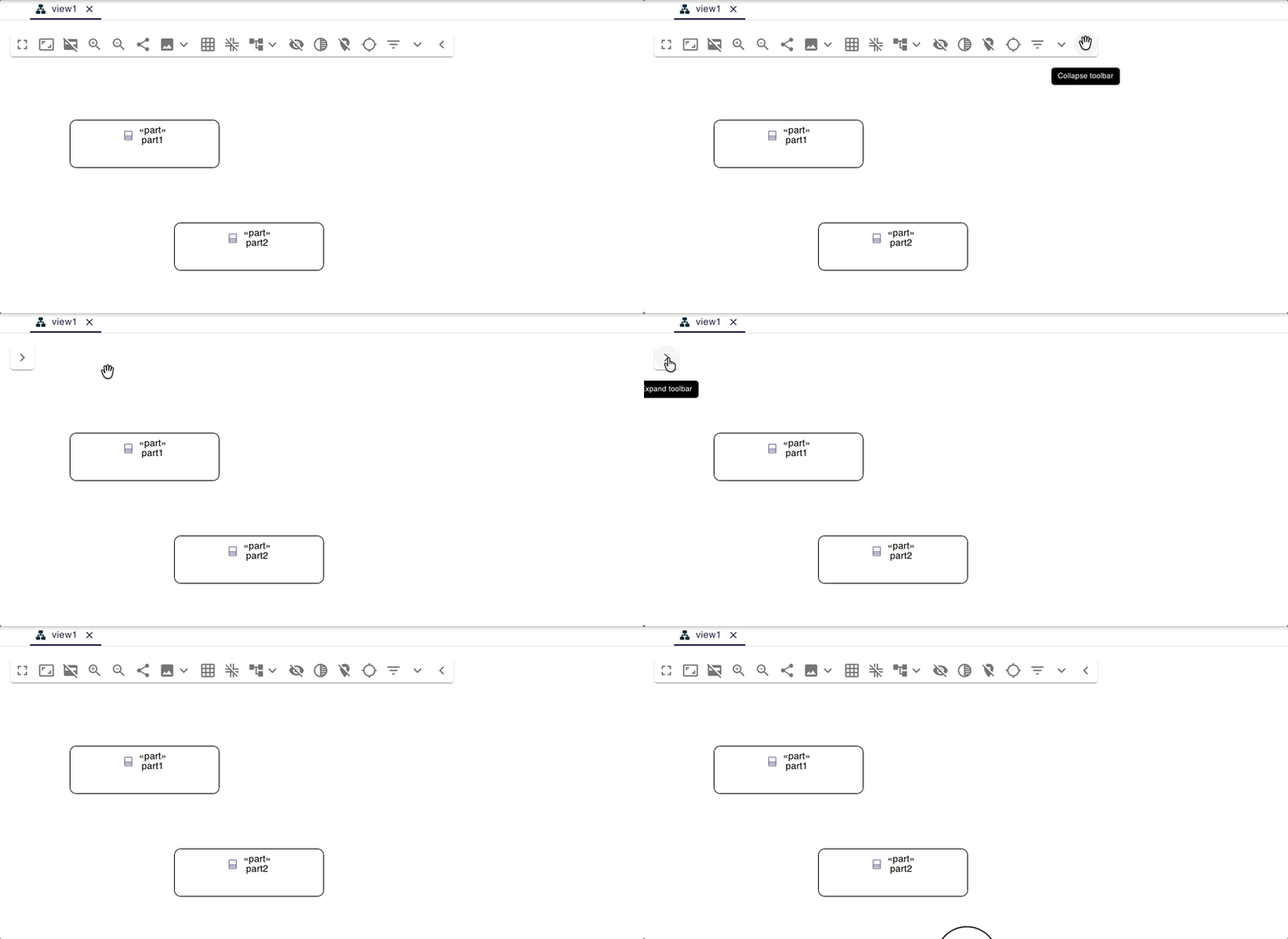
The diagram toolbar is also more flexible. It can now be collapsed or expanded in the interface, helping users reclaim space and focus on the canvas when needed. And for specifiers, the toolbar is no longer just an implicit part of every diagram: it can now be enabled or disabled directly from the View DSL.
Combined with the other refinements included in this release, these changes make editing feel more controlled, more predictable, and more efficient in practice.
A Stronger View DSL
This release also strengthens the View DSL in ways that matter over time.
A dedicated documentation field is now available on many View DSL elements. That gives specifiers a direct way to document the intent of representations, diagram elements, styles, tools, and related concepts inside the model itself.
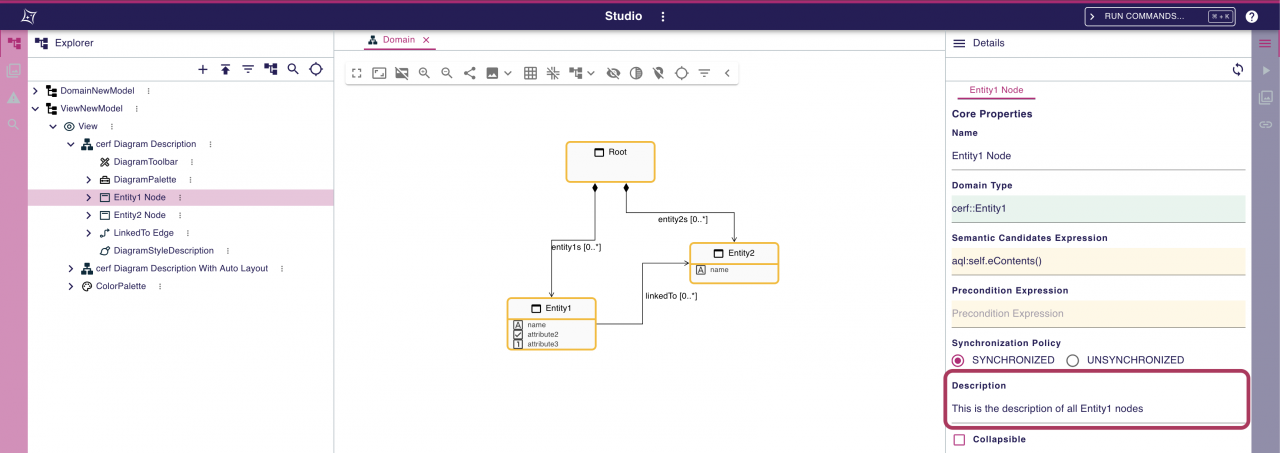
This kind of capability becomes increasingly important as applications grow. It improves readability, helps preserve design intent, and makes it easier for teams to maintain and evolve a modeling environment collaboratively.
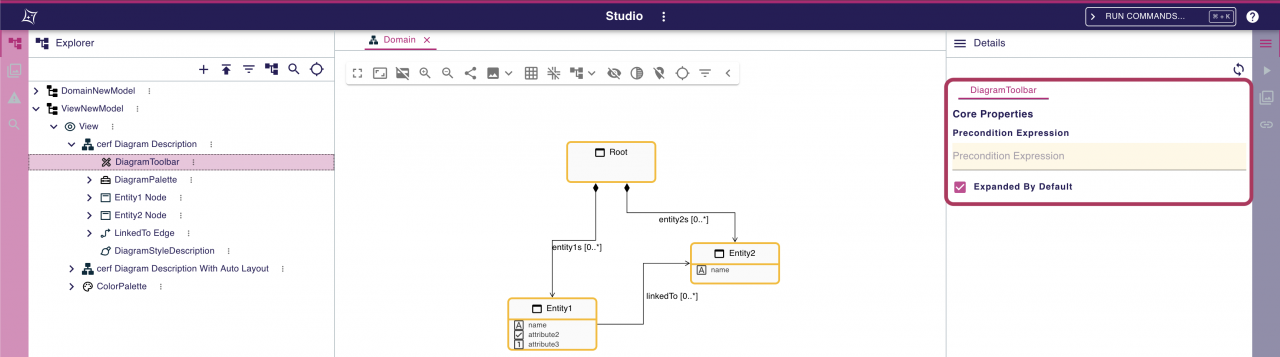
Sirius Web 2026.3.0 also adds diagram toolbar support to the View DSL. Specifiers can now explicitly define whether a diagram exposes a toolbar, and its initial state (expanded or collapsed), making the resulting user experience more deliberate and easier to adapt to specific use cases.
Conclusion
Sirius Web 2026.3.0 is a release built around everyday effectiveness.
It makes views easier to discover, tools faster to trigger, dialogs more flexible, diagrams easier to organize, and specifications easier to document. None of these changes are cosmetic. Together, they improve the rhythm of working with Sirius Web and give application builders more control over the experiences they create.
If you are building modeling applications with Sirius Web, 2026.3.0 gives you a better foundation for both usability and configurability.